PocketSEOPocketSEO

Best Content Strategy Tips (2026)

17 tips · ~28 min read · 6,992 words · Updated 2026

Content strategy is where SEO meets editorial planning. Ranking with content requires more than keyword research — it demands topic clustering, content gap analysis, writing frameworks that satisfy search intent, and a publishing cadence that builds topical authority over time. These tips cover the strategic side of content creation, from ideation to distribution, as practiced by people who have built organic traffic channels from scratch.

Intermediate Long-term

What is search intent clustering?

Search intent clustering means grouping keywords by the goal behind each search, then mapping one page to each goal. The three main intents are informational (learning something), commercial (comparing options), and transactional (ready to buy). Each intent deserves its own page built for that specific job.

Cluster before you write, never after. The intent decides the page type, the format, and the call to action you use.

Why does intent matter before you write?

Matching intent is the difference between ranking and being ignored. According to Ahrefs, 90.63% of pages get no organic search traffic from Google, and mismatched intent is one of the most common reasons.

If someone searches "how to clean suede shoes," they want a step-by-step guide, not a product page. Publish the wrong format and you hand the ranking to a competitor who read the intent correctly.

How do you cluster keywords by intent?

Sort your keyword list into intent buckets first, then group related terms inside each bucket.

  • Informational: "what is," "how to," "guide," "examples." Map these to blog posts and tutorials.
  • Commercial: "best," "vs," "review," "alternatives." Map these to comparison and roundup pages.
  • Transactional: "buy," "price," "near me," "discount." Map these to product, service, or category pages.

When you are unsure, check the current results for that keyword. If Google shows mostly blog posts, the intent is informational, so build the page type that already ranks.

How does intent mapping prevent cannibalization?

Cannibalization happens when two of your pages target the same intent, so they compete against each other and split their ranking signals. Google cannot decide which page to show, and both end up underperforming.

Assign one page per intent to solve it. When each keyword cluster maps to a single, distinct page, your pages stop fighting each other. Before publishing anything new, search your own site for an existing page on that intent. If one already exists, improve it instead of building a duplicate. Where pages overlap, consolidate them with 301 redirects to concentrate authority on the strongest URL.

Want the full playbook? Read our guide on 5 SaaS Page Types That Actually Drive Organic Traffic.

Key Takeaway

Group keywords by informational, commercial, or transactional intent and map one page to each, so your own pages never compete for the same query.

Source: @pocketseo on Web

Full tip page
Beginner Long-term

Why does a weak page ranking in the top 5 matter?

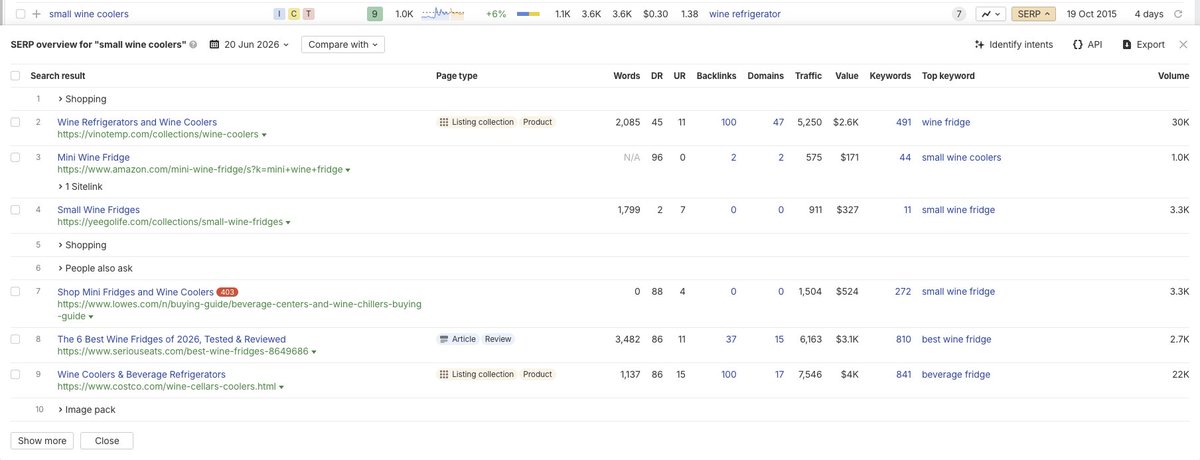
If a low-authority page already ranks in the top 5 for a keyword, that's a signal the keyword has a soft ceiling. You don't need to outrank Forbes or a site with thousands of backlinks — you just need to be better than the weakest page currently holding a top spot.

This single check can save you months of effort on keywords you have no realistic shot at winning.

How do you identify a weak ranking page?

How to spot low-competition keywords before you waste 6 months

The method is straightforward. Open Ahrefs (or a similar tool with SERP data), search your target keyword, then click the SERP button to see which pages currently rank for it.

Look for pages in positions 1-5 that meet both of these conditions:

  • Domain Rating (DR) under 40
  • The keyword does not appear in their domain name

The second condition matters because domains with an exact-match or partial-match keyword in their URL often get a ranking boost that has nothing to do with their content quality or backlink profile. Exclude those and you're looking at a genuinely weak page.

If you find even one page that fits both criteria sitting in the top 5, that's your green light.

What do you do once you find a weak page?

Spot a weak page? Here's what to do next:

  1. Optimize your page for the keyword. Make sure the keyword appears in your title tag, H1, first paragraph, and a few subheadings. Don't stuff it — use it where it reads naturally.
  2. Build backlinks to that specific page. A handful of relevant, quality links can be enough to push past a DR 30-40 page. According to Backlinko's analysis of 11.8 million search results, the #1 result has an average of 3.8x more backlinks than pages in positions #2-#10.
  3. Add internal links pointing to it. Find other pages on your site that mention the topic and link them to this page. Internal links pass authority and help Google understand the page's relevance.

Give it 3-6 months. A page with decent on-page optimization, a few solid backlinks, and internal link support can realistically displace a weak DR 30 page sitting in position 4 or 5.

Is DR the only signal worth checking?

DR is a quick proxy, but check a couple of other things while you're in the SERP view:

  • Page-level backlinks: A low-DR domain might still have a page with 200 backlinks. That's harder to beat than a DR 35 site with 4 links to the ranking page.
  • Content quality: Skim the ranking page. If it's thin, outdated, or off-topic, that's another sign you can take the spot with something better.
  • Search volume: A low-competition keyword with 50 monthly searches still moves the needle for a small site. Don't skip low-volume keywords — they often convert better than broad terms.

This SERP check takes about 5 minutes per keyword. Run it before you commit to writing anything, and you'll stop burning time on keywords that are effectively locked up by authoritative sites.

Want the full playbook? Read our guide on 5 SaaS Page Types That Actually Drive Organic Traffic.

Key Takeaway

To find low-competition keywords, search the term in Ahrefs, open the SERP view, and look for pages ranking in the top 5 with a Domain Rating under 40 that don't have the keyword in their domain name. A page meeting both conditions is a weak page — and weak pages can be outranked. Once you find one, optimize your page for the keyword, build a few relevant backlinks to it, and add internal links. With 3-6 months of consistent effort, you can take that top-5 spot.

Source: @SEOKeval on Twitter/X

Full tip page
Intermediate Long-term

Why do organic traffic dips sometimes fix themselves?

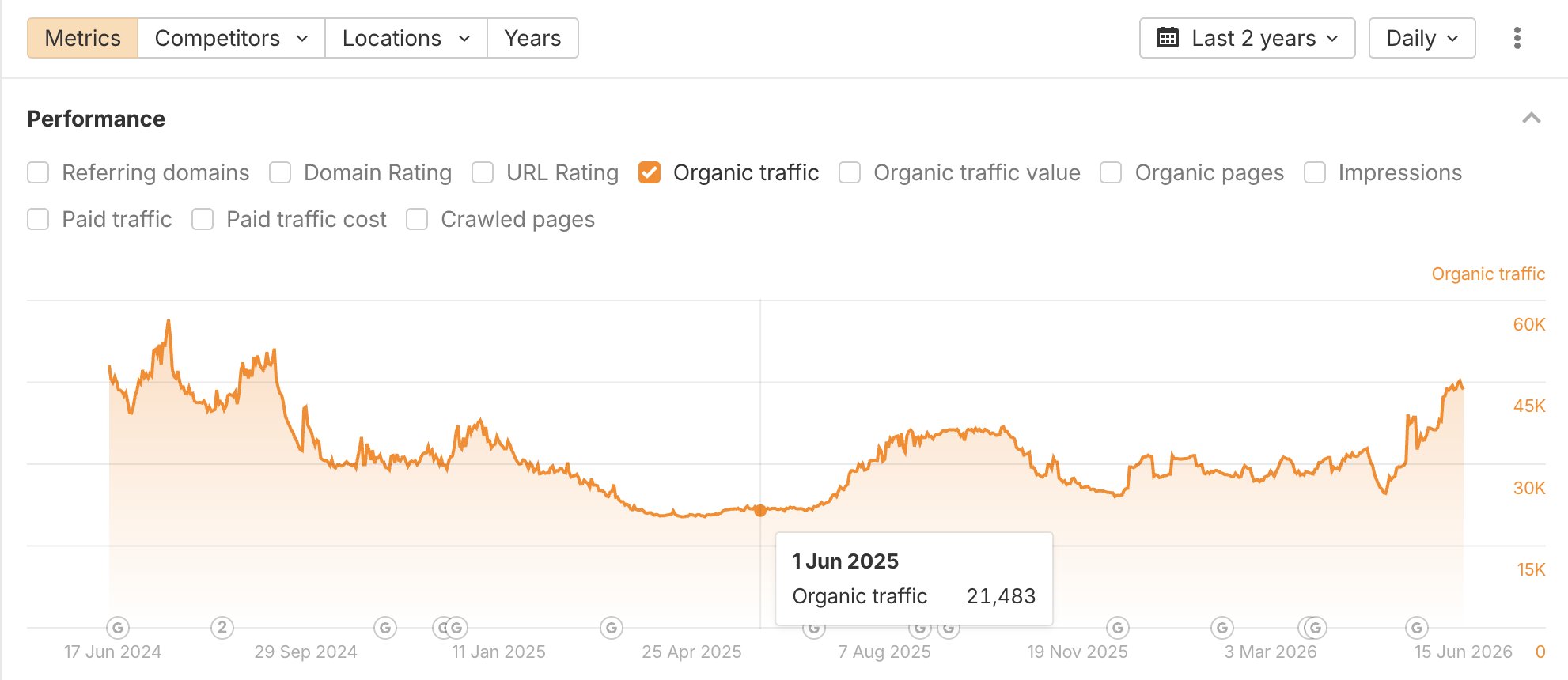
Some SEO drops have no identifiable cause. No technical errors, no manual penalty, no algorithmic smoking gun. The site just dips, and no amount of auditing turns up a reason.

This is more common than most SEO guides admit. Google's ranking systems process signals continuously, and there are periods where a site's visibility fluctuates while the algorithm re-evaluates its authority, relevance, or trustworthiness. You won't always find a trigger in Search Console.

According to Google's own documentation on ranking systems, sites can experience ranking changes as Google recrawls and reassesses content quality over time — there's no instant feedback loop between your work and your rankings.

What actually happened with this ecommerce site?

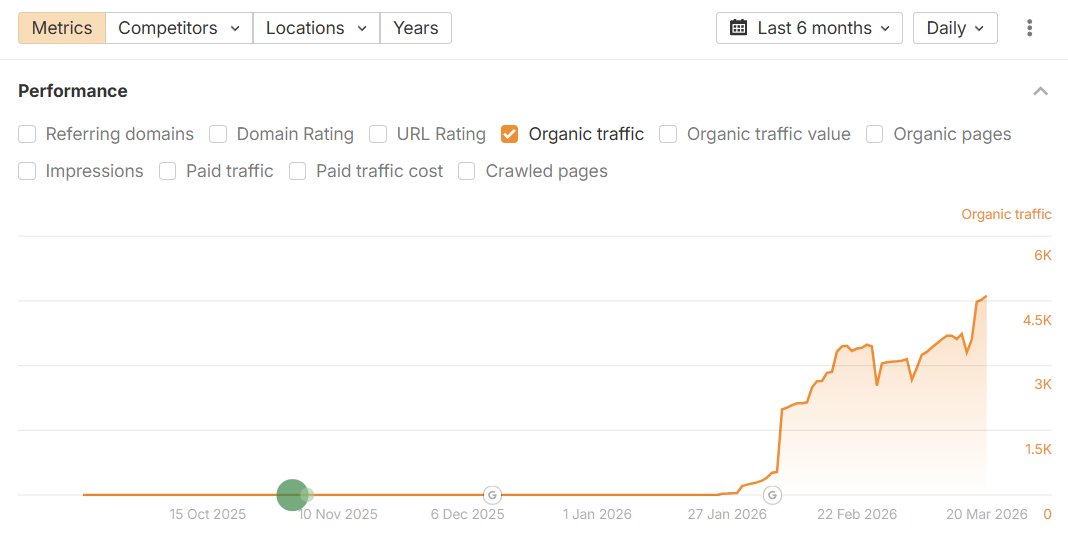
Not Every Traffic Dip Needs a Fix — Sometimes You Just Wait

Keval Shah, an ecommerce SEO consultant, documented exactly this situation with a client he took on last summer. He ran a full technical audit, optimized product category pages, improved internal linking, published new blog content, and built backlinks. Traffic went up significantly.

Then it dropped back down.

He audited the site repeatedly. Nothing came up. No obvious cause, no clear fix.

So he kept doing the same things: publishing content that internally linked to category pages, and building high-quality backlinks. A few months later, rankings and traffic started climbing again. The site is now close to record organic traffic levels, ranking in the top 3 for its primary keywords.

No single fix caused the recovery. Consistent fundamentals did.

How do you tell a real problem from a temporary fluctuation?

Before you spiral into audit mode, check these first:

  • Search Console coverage report — are pages still indexed?
  • Manual actions — any penalties listed under Security & Manual Actions?
  • Core Update timing — did the drop coincide with a confirmed Google update? Check Google's Search Status Dashboard.
  • Crawl errors — are key pages returning 200 status codes?
  • Backlink profile — any sudden loss of referring domains?

If none of these surface a problem, and the drop is under 20-25% with no other signals, you may be looking at normal volatility.

What should you do when you can't find the cause?

  1. Document the drop date and check against known Google updates
  2. Run a quick technical check (crawlability, indexing, manual actions)
  3. Confirm your top pages are still indexed and returning correct status codes
  4. If nothing flags, keep your core activities running: content publishing and link building
  5. Set a 60-90 day review window before escalating concern

Stopping your SEO work because traffic dipped is the worst response. The sites that recover fastest are the ones that kept publishing and earning links through the dip.

When is waiting actually the right call?

Waiting makes sense when:

  • No technical issues are present
  • No manual action exists
  • The drop didn't coincide with a major content or site change
  • Your backlink profile is stable

Google doesn't rank sites in real time. Links need to be recrawled and processed. Content needs to be re-evaluated against competing pages. That takes time, and the timeline is Google's, not yours.

The most durable SEO results come from sustained effort over months, not reactive overhauls every time rankings shift.

Want the full playbook? Read our guide on 12 Programmatic SEO Playbooks That Actually Scale Content.

Key Takeaway

Not every SEO traffic drop has an identifiable cause. Sometimes rankings dip despite clean technical health, no manual penalties, and a stable backlink profile. In these cases, the right response is to keep publishing content and building links rather than over-auditing. An ecommerce site documented by SEO consultant Keval Shah recovered to record traffic levels after months of consistent fundamentals, with no single fix responsible for the turnaround. If your core site health checks out, a 60-90 day patience window often outperforms reactive changes.

Source: @SEOKeval on Twitter/X

Full tip page
Beginner Medium Effort

What is pre-launch SEO?

Most founders treat SEO as something to figure out after launch, once the product is live and the team has bandwidth. But there's no rule saying your site needs a working product to rank and convert.

You can publish pages, target keywords, and collect waitlist signups weeks or months before launch day.

Why does this approach work?

How to Build SEO Before Your Product Launches

Search engines don't care whether your product is live. They care whether your pages are indexed, answer real search queries, and have enough authority to rank.

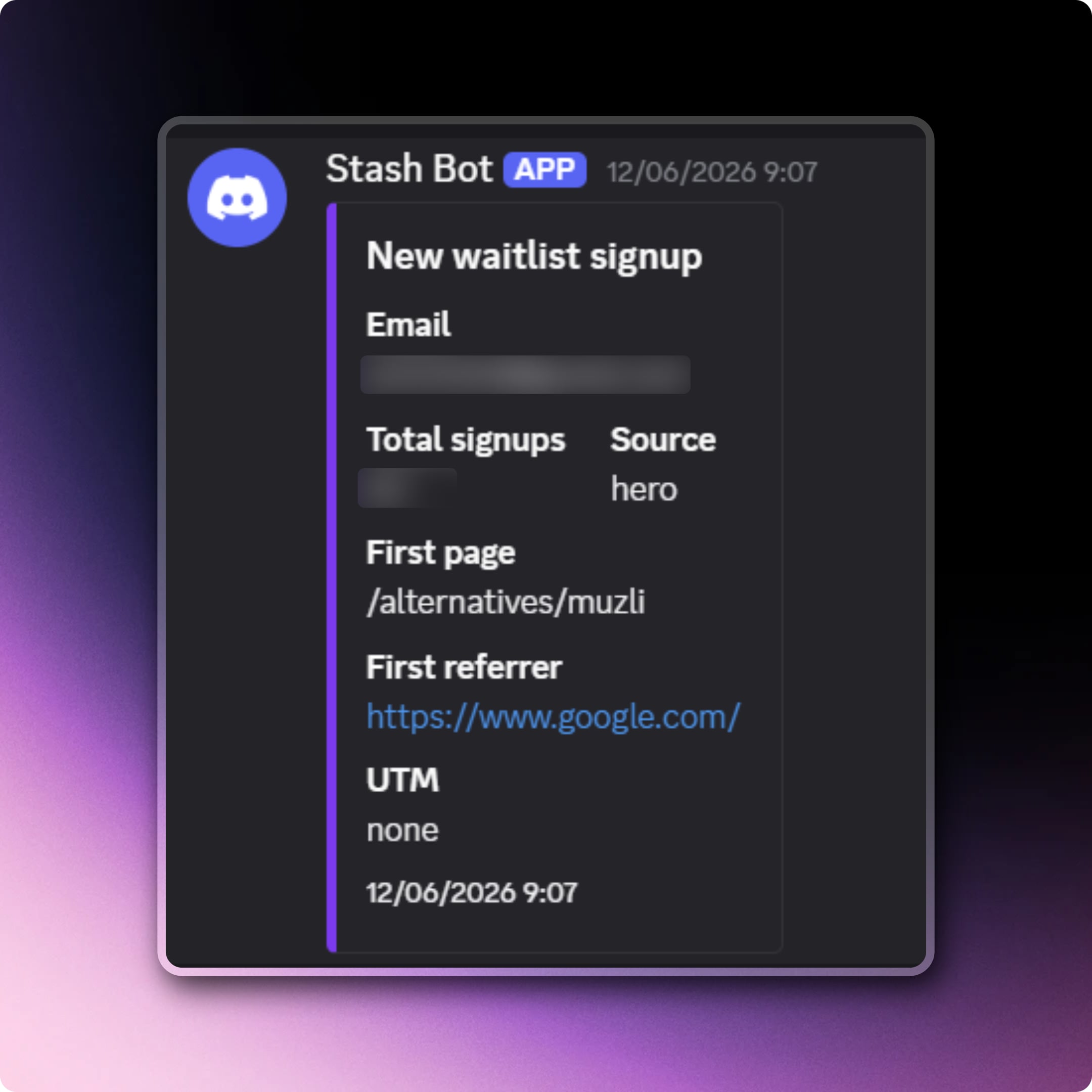
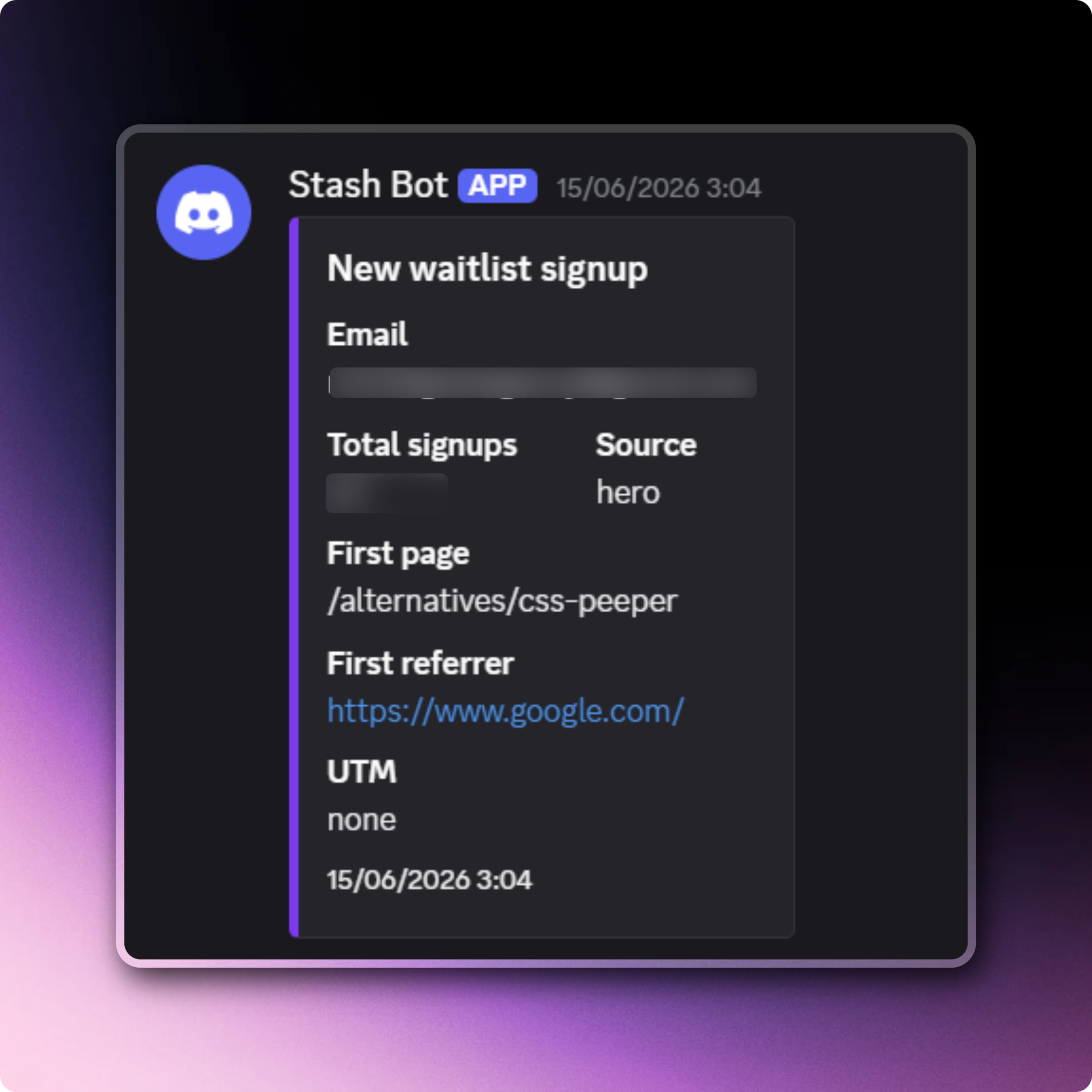
If someone searches "[competitor] alternative" or a problem your product solves, a well-structured page targeting that query can rank and send traffic to a waitlist form. The visitor never needs to see a finished product — they just need a reason to sign up.

According to Ahrefs, "best X alternative" and "X vs Y" queries have some of the highest commercial intent of any keyword type. People searching those terms are already in buying mode.

Which pages should you build before launch?

How to Build SEO Before Your Product Launches

Two page types tend to perform well pre-launch:

Alternatives pages — Target "[competitor name] alternative" keywords. These attract users who are already frustrated with an existing tool and actively looking for something better. They're warm leads.

Blog posts targeting problem-aware keywords — Write about the specific pain your product solves. Someone searching "how to manage X without Y" is exactly the person you want on your waitlist.

Both page types can rank without any product features to describe. You're selling the category, not the feature set.

How do you set this up without a finished product?

Keep the pages honest. You don't need to fake anything:

  1. Write a genuine overview of the problem space
  2. Explain what your product will do differently (even in vague terms)
  3. Add a waitlist signup form — tools like Tally, Typeform, or a simple email capture work fine
  4. Interlink between your blog posts and alternatives pages to build internal authority
  5. Submit your sitemap to Google Search Console so pages get crawled fast

You don't need 50 pages. Two or three well-targeted pages, properly indexed, can start generating signups within weeks.

What should you expect from pre-launch SEO?

Don't expect page-one rankings overnight. SEO takes time regardless of launch status. But starting early means your pages have weeks or months of crawl history, backlinks, and engagement data by the time you launch.

When your product goes live, you're not starting from zero — you already have traffic, an indexed site, and a waitlist built from organic search. That head start compounds.

Want the full playbook? Read our guide on 5 SaaS Page Types That Actually Drive Organic Traffic.

Key Takeaway

You don't need a live product to run SEO. Publishing alternatives pages and problem-focused blog posts before launch lets you rank for high-intent keywords and capture waitlist signups organically. Alternatives pages target users already frustrated with competitors, while blog posts attract people searching for solutions your product will eventually solve. Starting SEO pre-launch means your site has crawl history, backlinks, and real traffic data by the time you ship — instead of starting from scratch on day one.

Source: @SoraiaDev on Twitter/X

Full tip page
Beginner Quick Win

Why does LinkedIn content outrank brand-new websites?

Google trusts LinkedIn. It has massive domain authority, strong crawl frequency, and millions of backlinks. A new website has none of that — yet.

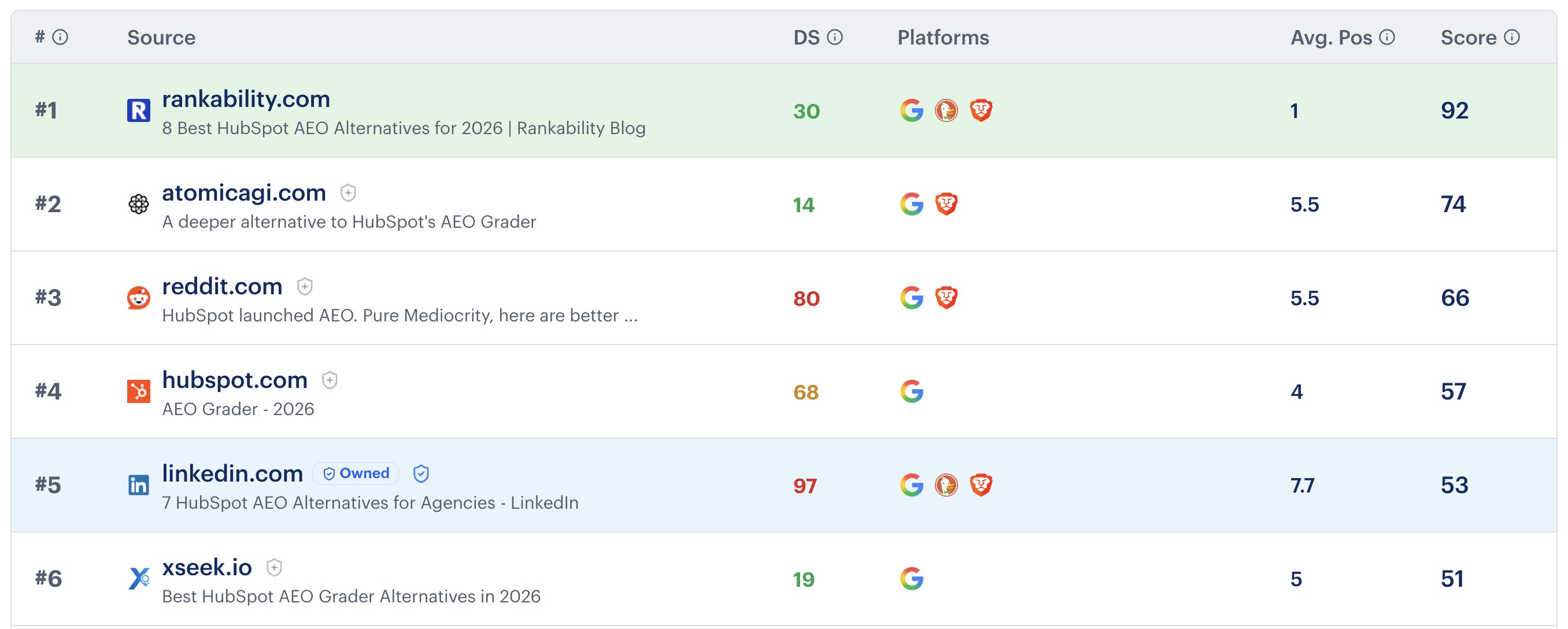
When you publish a keyword-targeted article or post on LinkedIn, it can appear in Google's top results within days. Your own website, if it launched recently, might take months to rank for the same term. According to Ahrefs, the average top-10 ranking page is over two years old. For new brands, that gap is a real problem.

LinkedIn gives you a shortcut.

How do you build a keyword-driven LinkedIn content strategy?

Use LinkedIn to rank for keywords while your site builds authority

This works best when you treat LinkedIn like a satellite content hub, not just a social feed.

Pick target keywords first. Use Google Search Console, Ahrefs, or even Google's autocomplete to find terms your audience searches. Focus on informational queries — "how to", "what is", "best way to" — where LinkedIn articles tend to show up.

Write full articles, not just posts. LinkedIn's long-form article editor (the "Write an article" option) creates indexable pages at linkedin.com/pulse/. These rank in Google. Short status updates generally do not.

Structure each article for search. Include the target keyword in the article title, the first paragraph, and at least one subheading. Write 600-1,000 words. This is not a place to be vague — cover the topic specifically.

Link back to your website. Every article should include at least one relevant internal link to your site. This drives referral traffic and signals topical relevance to Google as your domain grows.

Publish consistently. One article a week over three months gives you a library of indexed content ranking under LinkedIn's authority while your own site catches up.

What topics work best for this approach?

Keywords where the search intent is informational and the SERP already shows LinkedIn results are the easiest wins. Check this by searching your target keyword on Google and looking at the results — if LinkedIn pages already appear, Google is comfortable ranking them for that topic.

Good candidate topics:

  • Industry how-to guides
  • Definitions and explainers for niche terms
  • Comparison posts ("X vs Y")
  • Process breakdowns specific to your field

Avoid transactional queries like "buy X" or "X pricing" — those SERPs favor product pages and review sites, not LinkedIn content.

When should you shift focus back to your own site?

This is a temporary bridge, not a permanent strategy. Once your website has 20-30 pages of indexed content and starts earning backlinks — even a handful — you should be publishing new keyword-targeted content on your own domain first.

Repurpose your top-performing LinkedIn articles onto your blog. Expand them, add more depth, and build internal links. Over time, your site will rank for terms where LinkedIn was your placeholder.

The goal is to be visible in search from day one, even when your domain is too new to compete directly.

Want the full playbook? Read our guide on 5 SaaS Page Types That Actually Drive Organic Traffic.

Key Takeaway

New websites struggle to rank because Google favors older, authoritative domains. Publishing keyword-targeted long-form articles on LinkedIn gives new brands a way to appear in Google search results immediately, since LinkedIn carries significant domain authority. Each article should target a specific informational keyword, link back to your website, and run 600-1,000 words. Treat it as a temporary ranking bridge while your own domain builds authority over time, then repurpose top-performing content onto your site.

Source: @nathangotch on Twitter/X

Full tip page
Intermediate Medium Effort

Why are listicle mentions driving more conversions than backlinks?

Getting featured in "best of" roundup articles delivers higher-intent traffic than traditional link building. When someone reads "10 best project management tools for startups," they're actively shopping, not just browsing.

According to BrightEdge, 68% of online experiences begin with a search engine.

Target listicles in your niche by searching for "best [your category] for [specific use case]." Reach out to authors with genuine value — offer exclusive discounts, free trials, or detailed product demos they can share with readers.

Which buying guides should you prioritize for maximum ROI?

Focus on products with $500+ price points where customers research extensively before purchasing. These high-ticket buyers consume multiple pieces of content during their decision process.

Create comprehensive guides that address specific buyer scenarios:

  • "Complete buyer's guide to CRM software for teams under 20"
  • "How to choose marketing automation for SaaS companies"
  • "Enterprise project management tools: 2024 comparison"

Include comparison charts, pricing breakdowns, and implementation timelines. These pages capture bottom-funnel traffic when purchase intent is highest.

How do competitor comparison articles steal branded searches?

When people search "[competitor name] alternative" or "[competitor] vs [other tool]," they're already considering switching. Create detailed comparison content targeting these searches.

Structure your comparisons around specific use cases rather than generic feature lists. Instead of "Tool A vs Tool B features," write "Best email marketing platform for small businesses: ConvertKit vs Mailchimp."

Address pricing, ease of use, and specific scenarios where your solution performs better. Include customer testimonials from people who switched from competitors.

What makes long-tail category pages convert for ecommerce?

Long-tail category pages target hyper-specific buyer intent. Instead of "running shoes," create pages for "trail running shoes for wide feet" or "minimalist running shoes under $100."

These pages capture shoppers who know exactly what they want and are ready to buy. The traffic volume is lower, but conversion rates are significantly higher.

Optimize category pages with:

  • Detailed filtering options
  • Customer reviews and ratings
  • Size guides and fit recommendations
  • Clear shipping and return policies

Why do topical authority sprints work in YMYL niches?

Google scrutinizes "Your Money or Your Life" content more heavily, but rewards sites that demonstrate deep expertise. Instead of publishing sporadically across topics, create focused content sprints around specific subtopics.

Choose one narrow area within your YMYL niche and publish 10-15 comprehensive articles over 4-6 weeks. For financial services, this might be "small business tax planning" or "retirement planning for freelancers."

This concentrated approach signals expertise to Google and builds topical clusters that reinforce your authority. Each article should link to related pieces in the cluster, creating a comprehensive resource hub.

Want the full playbook? Read our guide on 5 SaaS Page Types That Actually Drive Organic Traffic.

Key Takeaway

Five proven SEO strategies are driving exceptional results: targeting listicle mentions for high-intent traffic, creating buying guides for expensive products, hijacking competitor searches with comparison content, building long-tail category pages for ecommerce, and executing focused topical authority sprints in YMYL niches. These tactics capture bottom-funnel traffic when purchase intent is highest.

Source: @KaiCromwell on Twitter/X

Full tip page
Intermediate Medium Effort

Why do competitor alternative pages rank so well?

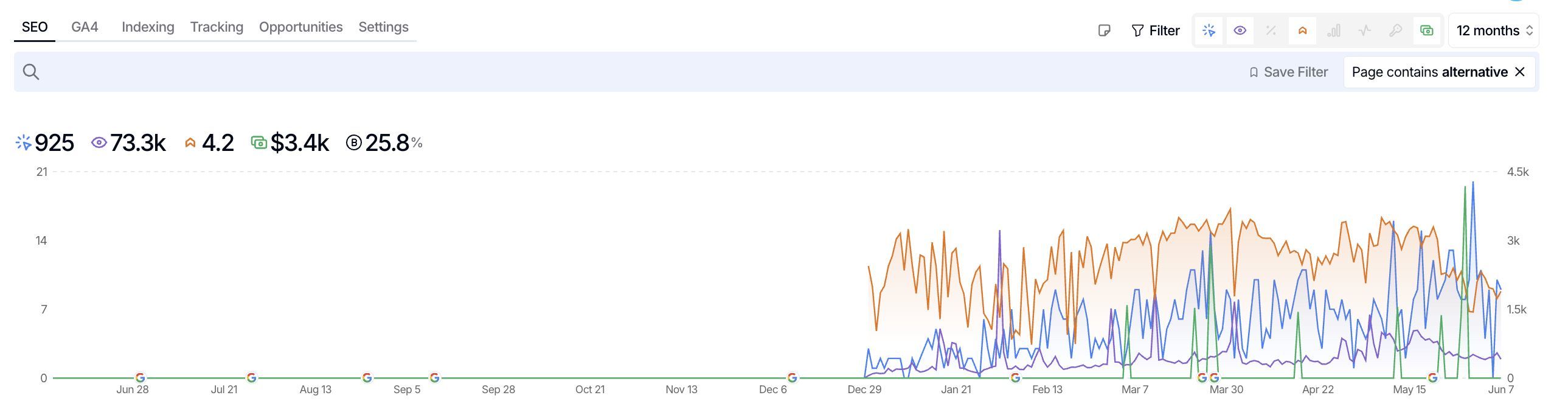
When someone searches "[Brand Name] alternatives," they're already looking for options. Google knows this search intent and favors comprehensive comparison pages over the original brand's homepage. These pages often rank in positions 1-3 because they directly answer what searchers want.

According to Ahrefs, 68% of all clicks go to the top 3 organic search results, which is why alternative pages that secure these positions see significant traffic gains.

The psychology is simple: people searching for alternatives are dissatisfied with the current option. They're actively shopping around, making them high-intent prospects for your business.

How do you create competitor alternative pages that rank?

How to Rank for Competitor Brand Names with Alternative Pages

Start by identifying your top 3-5 direct competitors using tools like Ahrefs or SEMrush. Look for competitors with strong brand recognition but room for improvement in their offering.

Create a page titled "[Competitor Name] Alternatives: Top X Options for [Year]". Structure it with:

  • Brief overview of why people seek alternatives to [Competitor]
  • Your product as Alternative #1 with detailed features
  • 4-6 other legitimate alternatives as #2-7
  • Comparison table with pricing and key features
  • FAQ section addressing common switching concerns

Be genuinely helpful. Don't bash the competitor - explain what different users might prefer instead. This builds trust and reduces bounce rate.

What makes these pages actually convert visitors?

Position your solution as the top alternative, but be subtle. Use phrases like "best overall alternative" or "most comprehensive solution" rather than obvious self-promotion.

Include specific migration guides: "How to switch from [Competitor] to [Your Product]" sections perform exceptionally well. Add customer testimonials from people who actually made the switch.

Make your comparison criteria favor your strengths. If you're cheaper, emphasize cost comparison. If you have better features, create detailed feature matrices.

How do you get these pages to rank quickly?

Build 5-10 relevant backlinks to your alternatives page. Reach out to industry blogs, participate in tool comparison roundups, or guest post about "choosing the right [tool category]."

Optimize for search intent by including related keywords like:

  • "[Competitor] vs [your brand]"
  • "[Competitor] pricing alternatives"
  • "best [tool category] instead of [competitor]"

Update the page quarterly with new alternatives, pricing changes, and fresh testimonials. Google rewards fresh, comprehensive content in competitive spaces.

Track rankings for "[competitor name] alternative" and "[competitor name] competitors" keywords. Most pages see initial rankings within 2-4 weeks with proper optimization and link building.

Want the full playbook? Read our guide on 5 SaaS Page Types That Actually Drive Organic Traffic.

Key Takeaway

Create comprehensive competitor alternative pages positioning your product as the #1 option alongside other legitimate alternatives. These pages rank well for branded competitor terms because they match search intent perfectly. Include comparison tables, migration guides, and customer testimonials to convert high-intent traffic actively looking for alternatives to established competitors.

Source: @KaiCromwell on Twitter/X

Full tip page
Beginner Long-term

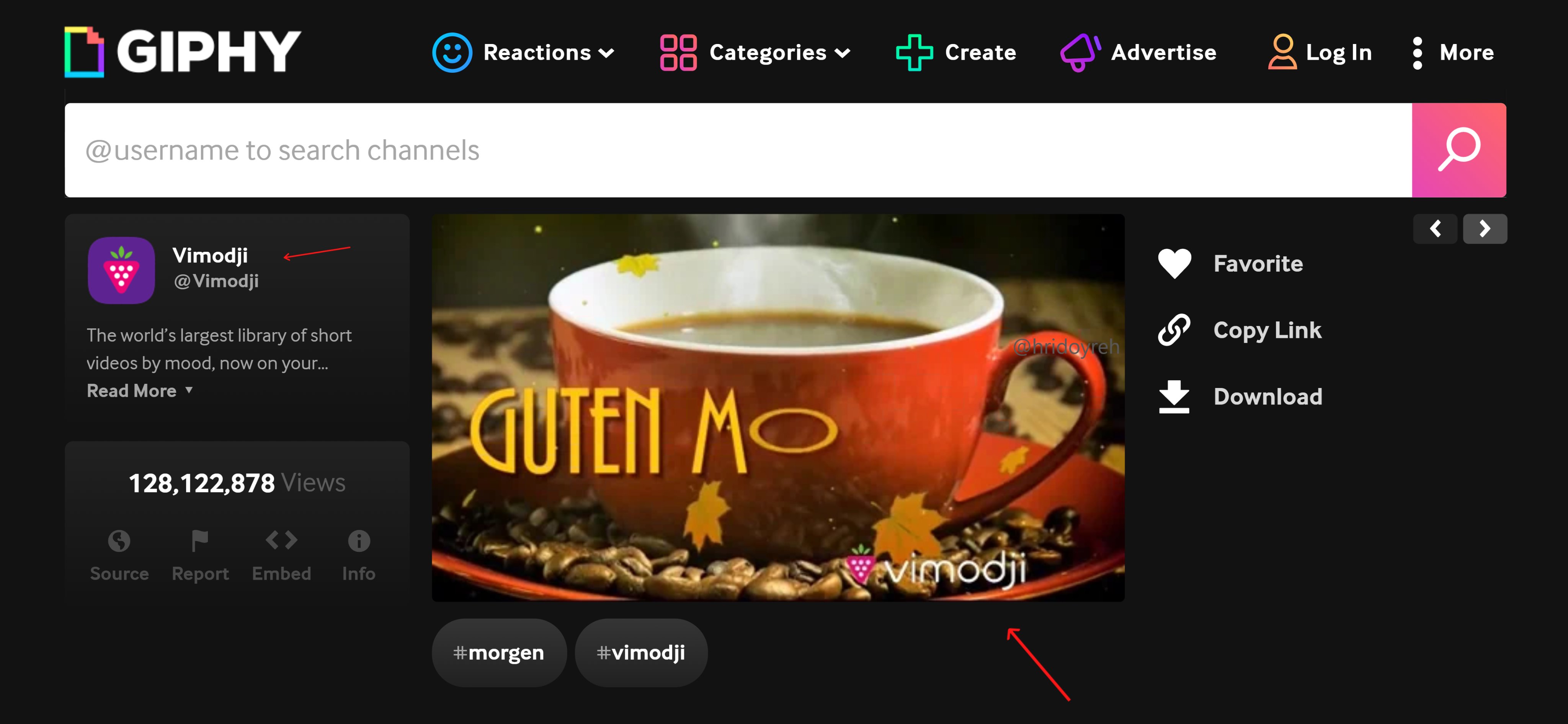
Why do branded GIFs drive search traffic?

When people share your GIFs on social media, they see your logo or branding. This creates brand awareness that often leads to Google searches for your company name. It's a form of indirect traffic generation through brand exposure.

Giphy gets billions of views monthly across platforms like Twitter, Instagram, and Slack.

According to Giphy, their platform serves over 10 billion GIFs daily across websites, apps, and social media platforms. Your branded GIFs become mini-advertisements that work 24/7.

How do you create searchable GIFs that get found?

Use Giphy Brand Channel to Drive Search Traffic

Research trending topics in your niche first. Check what GIFs people already search for using Giphy's search bar. Look for gaps where you can create something relevant but missing.

Use clear, readable text in your GIFs. People search Giphy using keywords like "excited", "deadline", "coffee break". Make sure your GIF visually represents common emotions or situations your audience experiences.

Keep your branding subtle but visible. Add your logo in a corner or use your brand colors consistently. Heavy-handed branding gets ignored, but subtle consistency builds recognition.

What's the step-by-step process?

  1. Create 10-20 GIFs around themes your audience uses (work emotions, industry jokes, reaction GIFs)
  2. Apply for Giphy's free brand channel at giphy.com/create/artist
  3. Upload with strategic tags - use the same keywords people search for
  4. Include your website URL in the GIF description
  5. Share your GIFs on your own social accounts to seed initial usage

The approval process takes 1-2 weeks. Once approved, your GIFs appear in search results alongside major brands.

What results can you expect?

Most branded GIFs get modest usage, but viral ones can generate thousands of brand impressions daily. The traffic comes indirectly - people see your brand in GIFs, then search Google for your company name later.

Track brand search volume in Google Search Console to measure impact. You'll likely see gradual increases in branded searches as your GIFs gain traction.

Want the full playbook? Read our guide on 12 Programmatic SEO Playbooks That Actually Scale Content.

Key Takeaway

Create branded GIFs for Giphy's free brand channel to drive indirect search traffic. When people share your GIFs on social media, they see your branding and often search Google for your company later. Focus on trending topics, keep branding subtle, and track brand search volume increases.

Source: @hridoyreh on Twitter/X

Full tip page
Intermediate Medium Effort

Why should you track new top 3 rankings?

When you break into Google's top 3 for a keyword, you've proven your content can compete at the highest level.

According to Backlinko, pages ranking in the top 3 positions get 75.1% of all clicks for that keyword. This signals an opportunity to expand around that topic and capture related searches.

New top 3 rankings are goldmines because they show Google trusts your content for that topic cluster. You can leverage this trust to rank for similar keywords much faster than starting from scratch.

How do you identify overlapping keyword opportunities?

Find New Top 3 Rankings to Unlock More Traffic

Once you spot a new top 3 ranking, look for related keywords that share the same search intent:

  • Check the "Related searches" section at the bottom of Google results
  • Use tools like Semrush or Ahrefs to find keyword variations
  • Look at what competitors in positions 4-10 are targeting
  • Mine Google's "People Also Ask" boxes for content gaps

The key is finding keywords where you can "walk into" the top 3 because Google already sees you as topically relevant.

What tactics work best for pages ranking 4-10?

For pages stuck in positions 4-10, you're close but need that final push:

Internal linking: Add contextual links from your highest-authority pages. Use exact-match or partial-match anchor text pointing to your target page.

PAA optimization: Answer "People Also Ask" questions within your content. This builds topical authority and helps Google understand your expertise.

Strategic H2 additions: Add H2 subheadings that target related long-tail keywords. This expands your content's keyword coverage without diluting focus.

Why is Semrush better than Search Console for this?

Google Search Console shows you ranking data, but Semrush reveals the strategic context you need:

  • Keyword difficulty scores help prioritize opportunities
  • Competitor analysis shows who you're competing against
  • Related keyword suggestions reveal content gaps
  • Historical ranking data shows momentum trends

Search Console tells you what happened. Semrush tells you what to do next.

Want the full playbook? Read our guide on 5 SaaS Page Types That Actually Drive Organic Traffic.

Key Takeaway

Track new top 3 rankings as signals for topic expansion opportunities. When you rank highly for one keyword, find related terms with overlapping search intent to scale traffic faster. Use internal links, PAA optimization, and strategic H2s to push pages from positions 4-10 into the top 3.

Source: @DavidGQuaid on Twitter/X

Full tip page
Intermediate Long-term

Why Free Tools Work for SEO

Free tools attract natural backlinks and social shares better than most content. People love sharing useful resources, and search engines reward sites that provide genuine value.

This strategy works for any business — not just SaaS companies.

Choose the Right Tool for Your Business

Build Free Tools That Drive Organic Traffic to Your Business

Align with your core offering. Your tool should solve a problem your target customers face. If you sell email marketing software, build a subject line tester. If you're a web designer, create a color palette generator.

Pick your platform strategy:

  • Host on your main domain for maximum SEO benefit
  • Use exact match domains (EMDs) with "powered by" links back to your site
  • Submit to marketplaces like Chrome Web Store, WordPress plugins, or Shopify apps
  • Repurpose across multiple platforms for maximum reach

Build Authority Through Strategic Link Building

Target the tool directly. Build backlinks to your tool's landing page, not just your homepage. This helps the tool rank for relevant keywords and drives qualified traffic.

Leverage marketplace syndication. Every time you submit your tool to a marketplace, you're essentially building another backlink. These platforms have high domain authority and can boost your tool's visibility.

Focus on relevant placements. Reach out to industry blogs, resource pages, and tool directories that your target audience actually uses.

Drive Initial Traction Through Community Marketing

Search engines pay attention to user engagement signals. Strong click-through rates and direct traffic tell Google your tool provides value.

Target niche communities:

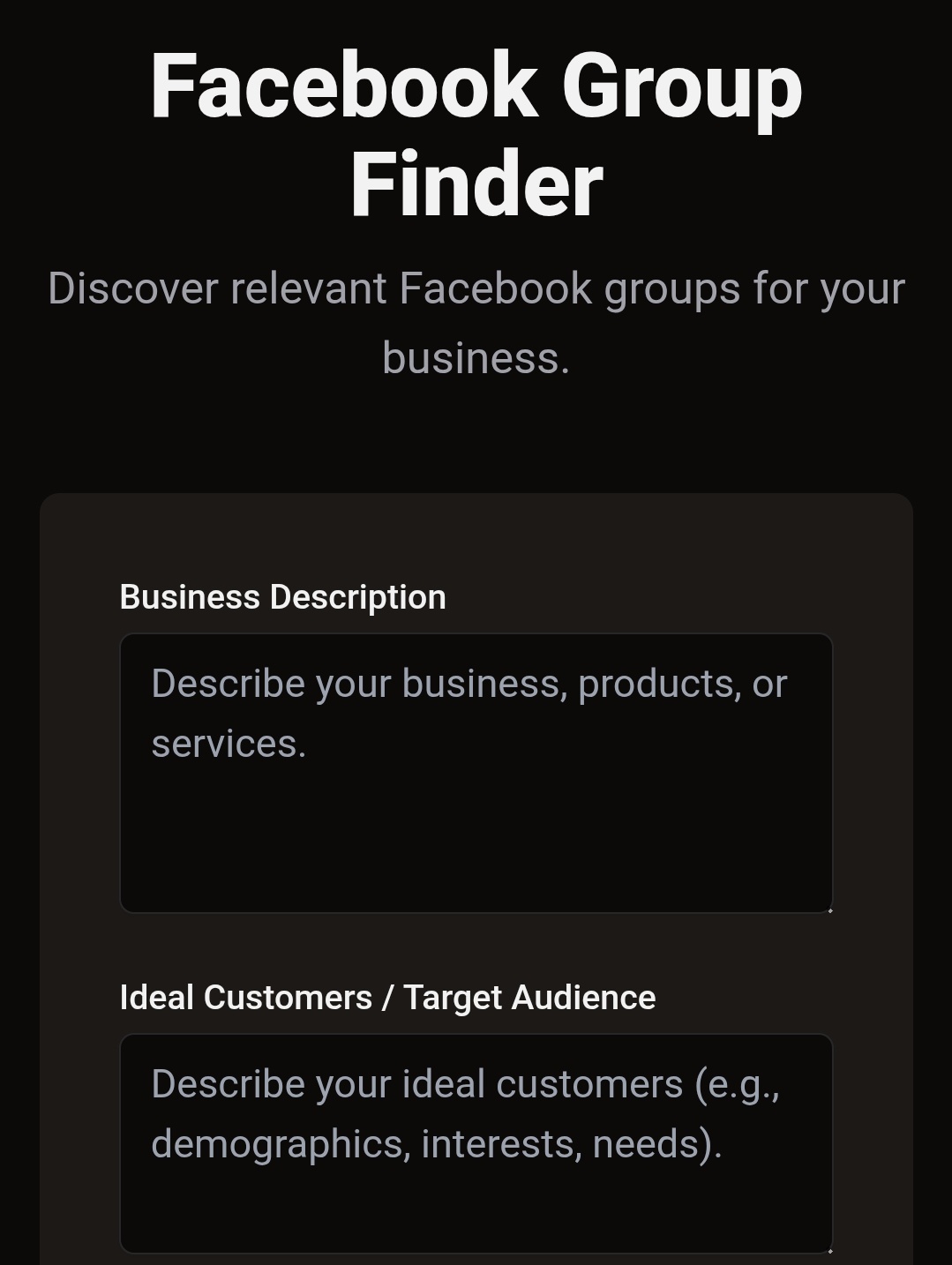
  • Reddit subreddits where your audience hangs out
  • Facebook groups focused on your industry
  • Specialized forums and communities
  • Twitter conversations about related problems

Share strategically. Don't just drop links. Contribute to conversations and mention your tool when it genuinely helps someone.

Convert Tool Users Into Customers

Add strategic CTAs. Include subtle calls-to-action that guide users toward your main offering. If someone uses your keyword research tool, offer a free SEO audit.

Capture emails. Require registration for advanced features or results. This builds your email list for nurture campaigns.

Track the funnel. Use UTM parameters and analytics to understand how tool traffic converts to customers.

Tools to Build Your Tool

Modern development platforms make tool creation accessible:

  • Replit for simple web apps
  • Cursor for AI-assisted coding
  • Windsurf for rapid prototyping

You don't need advanced coding skills. Many successful tools are simple calculators, generators, or analyzers that solve specific problems.

Start Small, Scale Smart

Begin with one simple tool that directly relates to your business. Test it with your existing audience, gather feedback, and improve before building more complex features. The goal is consistent organic traffic that converts — not building the next viral app.

Want the full playbook? Read our guide on Image Backlinks: The Underrated Link-Building Play for 2026.

Key Takeaway

Build a free tool tied to your core offering, then link and syndicate it directly, earning backlinks and qualified traffic that ordinary blog posts rarely attract.

Source: @ConnorShowler on Twitter/X

Full tip page
Beginner Quick Win

Skip the AI content factory. Your best SEO wins are already sitting in Google Search Console.

While everyone's racing to pump out AI-generated pages, smart marketers are finding gold in their existing content. Here's a simple strategy that beats creating new content every time.

Find your page 2 diamonds

Stop making new pages: Fix your page 2 rankings instead

  1. Open Google Search Console
  2. Go to Performance > Search Results
  3. Filter by Average Position: 11-20 (page 2 territory)
  4. Sort by Impressions (highest first)

You'll see pages that Google thinks are decent — they're just not quite good enough for page 1.

According to Backlinko, pages ranking on the second page of Google have an average click-through rate of just 0.63%, compared to 27.6% for the first result on page one.

Pick your battles wisely

Don't optimize every page. Focus on:

  • Pages with 1,000+ monthly impressions
  • Keywords you can actually rank for (check difficulty in Ahrefs/SEMrush)
  • Commercial intent keywords that drive business

The content upgrade playbook

For each target page:

Add missing elements:

  • Embed relevant YouTube videos (yours or others')
  • Include current statistics and data
  • Add helpful images, screenshots, or infographics
  • Update outdated information

Improve structure:

  • Break up long paragraphs
  • Add clear subheadings (H2, H3)
  • Include bullet points and numbered lists
  • Add a table of contents for longer pieces

Strengthen the fundamentals:

  • Improve your title tag (include target keyword)
  • Write a compelling meta description
  • Add internal links to related pages
  • Update the publish date

Why this works better than new content

Google already knows these pages exist. You're not starting from zero — you're polishing something that's already in the race.

New AI content faces an uphill battle:

  • No authority signals
  • No existing backlinks
  • Crowded competition
  • Generic, templated feel

Your page 2 content has momentum. A small push often gets bigger results than starting fresh.

Track your wins

After updating, monitor in Search Console:

  • Position changes (aim for 3-5 spot improvements)
  • Click-through rate increases
  • Impression growth

Most improvements show up within 2-4 weeks. Some pages jump from position 15 to position 5 with the right tweaks.

Stop the content hamster wheel. Your next SEO win is probably hiding on page 2.

Want the full playbook? Read our guide on 5 SaaS Page Types That Actually Drive Organic Traffic.

Key Takeaway

Upgrade existing page-2 content with videos, structure, and internal links instead of publishing fresh pages, since Google already grants those URLs momentum.

Source: @themkmaker on Twitter/X

Full tip page
Beginner Medium Effort

What simple SEO process actually works for new domains?

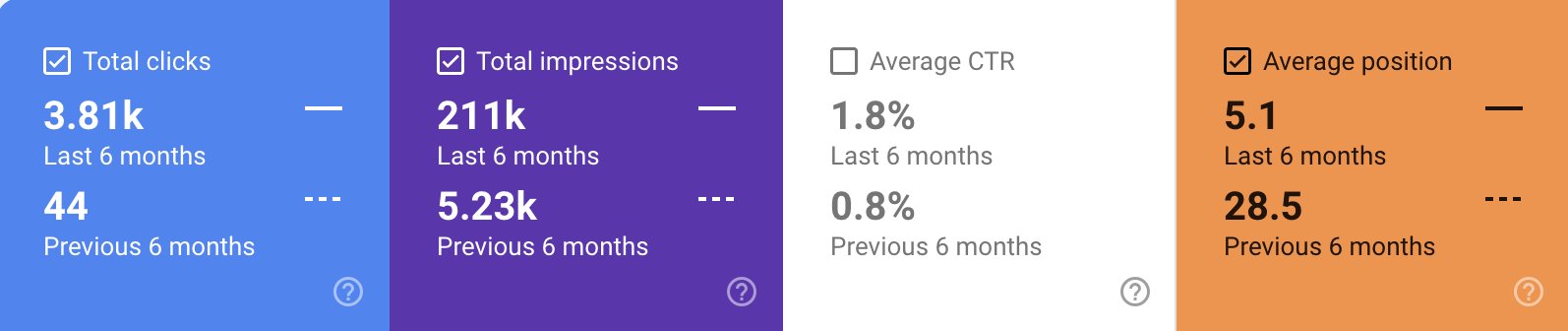
A 7-month-old domain recently jumped from zero to over 1,000 monthly organic visits in just two months. No fancy tools. No complex strategies. Just consistent execution of the basics.

Here's the exact process they followed — and how you can replicate it.

According to Ahrefs, 91% of all pages never get any organic search traffic from Google, making this systematic approach even more valuable.

What is the 5-step framework for rapid traffic growth?

How a 7-Month Domain Hit 1000+ Monthly Visits in 2 Months

1. Find Low-Difficulty Keywords With Real Search Volume

Start with keyword research tools like Ahrefs, SEMrush, or even free alternatives like Google Keyword Planner. Look for:

  • Keywords with difficulty scores under 30
  • Monthly search volume between 100-1,000
  • Clear commercial or informational intent

Don't chase high-volume keywords early on. A new domain won't rank for competitive terms.

2. Study What's Already Ranking

Before writing anything, analyze the top 5 results for your target keyword:

  • What topics do they cover?
  • How long are the articles?
  • What's missing from their content?
  • What questions aren't answered?

This research phase is crucial. You're not copying — you're identifying gaps.

3. Create Something Genuinely Better

Better doesn't mean longer. It means more useful:

  • Answer questions the competition missed
  • Include recent examples and data
  • Structure content with clear headings
  • Add actionable takeaways

Quality beats quantity every time.

4. Fix Technical Foundation

Even great content fails with poor technical SEO:

  • Optimize page speed (aim for under 3 seconds)
  • Use proper heading structure (H1, H2, H3)
  • Write compelling title tags and meta descriptions
  • Internal link to related content
  • Ensure mobile-responsive design

5. Rinse and Repeat

Consistency matters more than perfection. This domain published 2-3 pieces per week for 30 days. No breaks. No excuses.

How do you gain an execution advantage in SEO?

Most people know this process. Few actually follow through. The difference between knowing and doing is where results happen.

Start with one keyword. Complete the entire process. Then move to the next. Compound growth happens when you show up consistently.

What should your 30-day action plan include for SEO success?

  1. Week 1: Research 10-15 target keywords
  2. Week 2: Create content outlines for each keyword
  3. Week 3: Write and publish 3-4 articles
  4. Week 4: Optimize technical elements and publish remaining content

Track your progress in Google Search Console. Results won't appear overnight, but you'll see early signals within 4-6 weeks.

The boring fundamentals work. Stop looking for shortcuts and start executing.

Want the full playbook? Read our guide on 5 SaaS Page Types That Actually Drive Organic Traffic.

Key Takeaway

A 7-month-old domain achieved 1000+ monthly organic visits in two months by focusing on keywords with difficulty scores under 30 and search volumes between 100-1,000, then creating content that filled gaps competitors missed. They published 2-3 pieces weekly for 30 days while maintaining solid technical SEO fundamentals like fast page speed and proper heading structure. This approach works because new domains can actually rank for low-difficulty keywords when the content genuinely answers questions competitors ignore, proving that consistent execution of basics beats complex strategies.

Source: @mehrab_build on Twitter/X

Full tip page
Beginner Medium Effort

What's the untapped goldmine hiding in your Search Console data?

Your website already tells you which topics will drive traffic. Most business owners miss this because they're looking in the wrong place.

The sweet spot? Keywords ranking in positions 8-20. You're close to page one but not quite there. These represent your biggest opportunities.

How do you find high-traffic blog topics using this step-by-step process?

1. Access your data Open Google Search Console and navigate to Performance → Queries.

2. Filter for opportunity Set position filters to show only 8-20. These keywords have proven search volume but need better content to rank higher.

3. Sort by impressions High impressions mean real people are searching for these terms regularly. Skip low-impression keywords even if they're easier to rank for.

4. Analyze the gap Look at what's currently ranking for these queries. Is your existing content thin? Outdated? Missing key information searchers want?

5. Create better content Write comprehensive posts targeting these exact queries. Go deeper than competitors. Answer related questions. Include examples and actionable steps.

6. Connect the dots Add internal links from your existing pages to these new posts. This passes authority and helps Google understand the content relationship.

Why does targeting position 8-20 keywords actually work for blog topics?

You're not guessing what people search for. You're using actual search data from your domain. Plus, you already have some ranking authority for these terms.

Can you show a quick example of this Search Console method in action?

Say you rank #12 for "email marketing templates" with 5,000 monthly impressions. Your current post is 300 words. Create a 1,500-word guide with downloadable templates, examples from different industries, and customization tips. Link to it from your main email marketing page.

Result: Higher rankings for a proven high-volume keyword.

Most people chase new keywords while ignoring the traffic opportunities sitting in their own data. Check your Search Console this week.

Want the full playbook? Read our guide on 5 SaaS Page Types That Actually Drive Organic Traffic.

Key Takeaway

Check your Search Console for keywords ranking in positions 8-20 with high impressions to discover your biggest content opportunities. These terms already get substantial search volume and your site has proven ranking potential, but your current content isn't quite good enough for page one. Create more detailed, helpful posts targeting these exact queries, then link to them from existing pages to pass authority. This approach beats chasing new keywords because you're using real search data from your own domain to find topics that will actually drive traffic.

Source: @aditikbuilds on Twitter/X

Full tip page
Intermediate Long-term

What is the most common SaaS SEO mistake that kills conversions?

Most SaaS founders follow the same broken playbook: pump out 30 AI-generated articles monthly targeting broad keywords like "what is customer churn" or "how to improve retention rates." They chase irrelevant backlinks from any site willing to exchange links.

Result? Lots of traffic, zero conversions.

The problem isn't traffic volume — it's targeting the wrong intent.

According to HubSpot, the average website conversion rate across industries is about 1.7%, making buyer-intent targeting crucial for SaaS success. Educational keywords bring curious visitors, not buyers.

What SEO strategy actually focuses on converting visitors into customers?

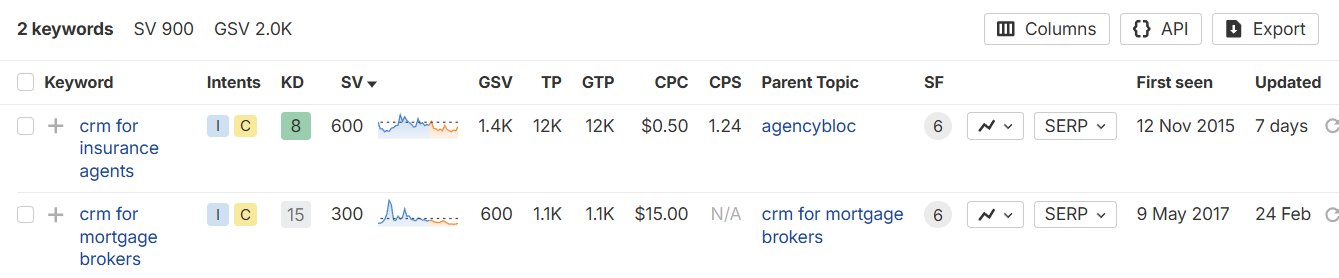
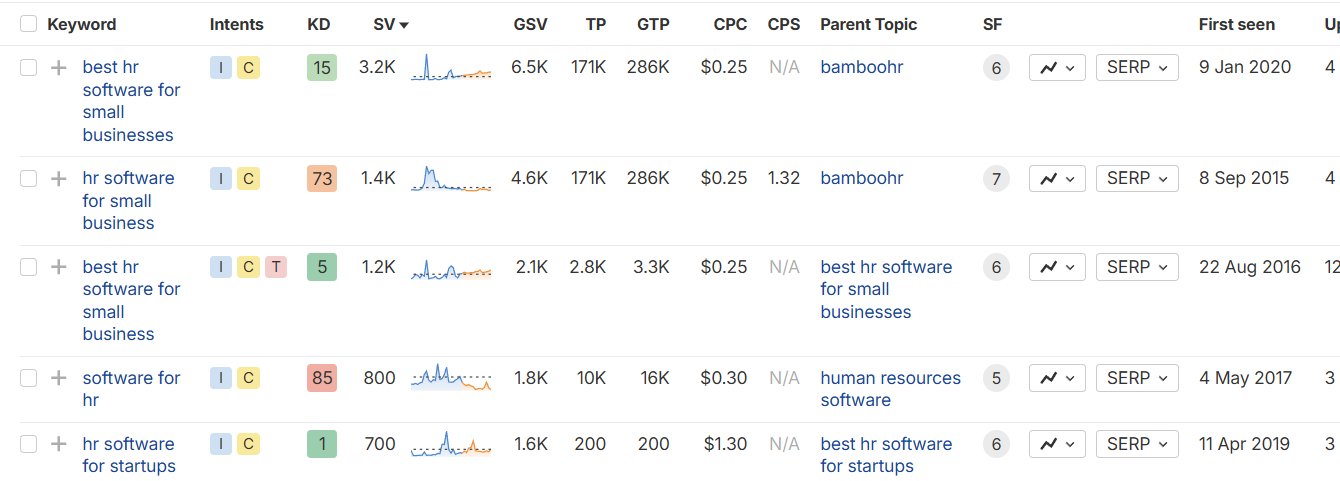
Why SaaS Founders Get Traffic But No Conversions (Plus the Fix)

Instead of chasing informational keywords, build landing pages around transactional searches:

  • "CRM for insurance agents"
  • "HR software for startups"
  • "Project management tool for agencies"
  • "Accounting software for freelancers"

These searchers have budget and buying intent. They're not just learning — they're shopping.

How do you create a content funnel that drives SaaS conversions?

Why SaaS Founders Get Traffic But No Conversions (Plus the Fix)

Once you have conversion-focused landing pages, connect them with strategic internal linking:

  1. Comparison content: Write "[Competitor A] vs [Competitor B]" posts, then position your product as the superior choice
  2. Alternative content: Target "[Competitor] alternative" keywords with your solution as the top recommendation
  3. Internal link network: Connect all pages together so visitors flow from comparison content to your landing pages

How do you build links strategically for SaaS conversion goals?

Why SaaS Founders Get Traffic But No Conversions (Plus the Fix)

Split your backlink efforts intentionally:

  • 50% to your homepage (builds domain authority)
  • 50% to landing pages and comparison content (drives conversions)

This approach builds both authority and conversion potential.

Why does this conversion-focused approach work for SaaS companies?

Transactional keywords have lower search volume but higher conversion rates. A visitor searching "CRM for real estate agents" is much more likely to buy than someone searching "what is a CRM."

Your traffic might grow slower, but every visitor becomes a potential customer instead of a curious reader who bounces after 30 seconds.

Focus on keywords that indicate buying intent, and your SEO efforts will actually drive revenue growth.

Want the full playbook? Read our guide on 5 SaaS Page Types That Actually Drive Organic Traffic.

Key Takeaway

SaaS companies often chase high-volume educational keywords like "what is customer churn" but attract curious visitors who never convert. Instead, target transactional searches with clear buying intent like "CRM for insurance agents" or "project management tool for agencies." These keywords have lower search volume but much higher conversion rates because searchers already have budget and are actively shopping for solutions. Create dedicated landing pages for these terms and connect them with comparison content targeting "[competitor] alternative" searches, then split your link building 50/50 between homepage authority and conversion-focused pages.

Source: @mehrab_build on Twitter/X

Full tip page
Beginner Quick Win

What's wrong with creating generic content?

Most businesses guess at what content to create. They write about what they think matters, not what customers actually want to know. This leads to content that gets ignored and drives zero sales.

How does the Reddit research method work?

Your potential customers are already telling you exactly what content they want.

According to Reddit's 2023 data, the platform hosts over 100,000 active communities with more than 430 million monthly active users sharing authentic conversations about their challenges and interests. They're asking questions, sharing problems, and discussing solutions on Reddit every day. Here's how to tap into this goldmine:

Step 1: Find Your Customer Communities

Search Google for: [your niche] + reddit

For example:

  • "fitness reddit"
  • "small business reddit"
  • "web design reddit"

This reveals the most active subreddits where your audience hangs out.

Step 2: Mine for Questions

Look for recurring patterns:

  • Questions that get asked repeatedly
  • Problems people can't solve
  • Complaints about existing solutions
  • "How do I..." posts with lots of engagement

Step 3: Turn Questions into Content

Each popular question becomes a piece of content:

  • Blog articles for detailed explanations
  • Videos for step-by-step tutorials
  • Social posts for quick tips
  • Product descriptions that address specific concerns

Can you show a real example of this in action?

A fitness coach found people constantly asking "How to meal prep without getting bored?" on r/MealPrepSunday. She created:

  • A blog post: "15 Ways to Keep Meal Prep Interesting"
  • YouTube videos showing flavor rotation systems
  • Instagram posts with spice combinations

Result: Her meal prep guide became her best-selling product.

How do you turn this into a repeatable system?

Set up a weekly routine:

  1. Monday: Check your target subreddits for new questions
  2. Tuesday: Identify 3-5 content ideas from the research
  3. Wednesday-Friday: Create content addressing those questions
  4. Weekend: Publish and engage

Why does Reddit research work so well for content ideas?

  • You're solving real problems, not imagined ones
  • Content matches actual search intent
  • You speak your audience's language
  • Questions reveal what people will pay to solve

Stop guessing what your customers want. Start listening to what they're already asking for.

Want the full playbook? Read our guide on 5 SaaS Page Types That Actually Drive Organic Traffic.

Key Takeaway

Reddit research reveals exactly what content your customers want because they're already asking questions and discussing problems in niche communities. Search Google for your industry plus "reddit" to find relevant subreddits, then scan for frequently asked questions and common complaints. Transform each popular question into targeted content like blog posts, videos, or social media tips. This method works because you're solving real problems rather than guessing, which leads to higher engagement and conversions since your content directly addresses what people are actively searching for and willing to pay to solve.

Source: @askOkara on Twitter/X

Full tip page
Intermediate Long-term

What's the reality of starting SEO as a brand new company?

New websites face Google's sandbox period — a waiting room where Google evaluates your content quality and credibility before ranking you. This doesn't mean you should wait to start SEO. Use this time to build a foundation that will pay off once Google gives you the green light.

How do you know if your SaaS is ready for SEO?

SEO isn't right for every business. Ask yourself:

  • Do you understand your buyer's specific pain points and how they search for solutions?
  • Do you have someone dedicated to own SEO (not as a side project)?
  • Are you committed to doing this properly, not cutting corners?
  • Is there actual search demand for what you're solving?

If you answered no to any of these, fix those gaps first. SEO without proper foundation is throwing money away.

Which content strategy should you choose for your SaaS?

Most SaaS companies should start with editorial SEO (regular content creation) rather than programmatic SEO (database-driven pages). Programmatic works for companies like Zapier with thousands of integration combinations, but 98% of startups don't have that type of scalable data.

Stick to editorial content unless you have a clear programmatic angle.

Why should you target bottom-of-funnel keywords first?

Don't chase broad awareness terms. Focus on keywords showing commercial intent:

  • "[Your category] software" or "[competitor] alternatives"
  • "How to [solve problem] with [integration]"
  • "[Your solution] vs [competitor]"
  • "Best [tool type] for [specific use case]"

These keywords have lower volume but much higher conversion rates. Build your foundation here before expanding to top-funnel content.

How do you create expert-led content that actually converts?

Pair your content writer with subject matter experts from your team. This creates credible, unique content that Google and users value.

Key tactics:

  • Include real data from your product or customer research
  • Use video content with your experts when possible
  • Share specific examples and case studies
  • Address objections directly in your content

How do you design every page for maximum conversions?

The biggest SEO mistake? Optimizing for traffic without thinking about conversions. Every piece of content should have a clear next step.

Conversion optimization checklist:

  • Validate keyword intent matches your buyer journey stage
  • Add sticky CTAs that follow users down the page
  • Include inline calls-to-action at natural decision points
  • Make the next step obvious (demo, trial, newsletter)
  • Design the content flow backward from your desired conversion

What does the long game mindset mean for SaaS SEO?

SEO success takes 6-12 months, especially for new sites in the sandbox. But companies that nail this early often see SEO become their most profitable acquisition channel.

Start building now while you're in the sandbox. When Google lifts restrictions, you'll have a content library ready to drive qualified traffic and conversions.

Want the full playbook? Read our guide on 5 SaaS Page Types That Actually Drive Organic Traffic.

Key Takeaway

New SaaS companies should focus on bottom-funnel keywords like "[competitor] alternatives" and "best [tool] for [use case]" rather than chasing broad awareness terms. These commercial intent keywords convert at much higher rates despite lower search volumes. Pair your content writer with internal subject matter experts to create credible, data-backed content that includes real product insights and customer examples. Design every page with clear conversion paths and sticky CTAs since traffic without conversions wastes your SEO investment. This foundation-first approach ensures when Google's sandbox period ends, you'll have conversion-optimized content ready to drive qualified leads.

Source: Unknown on Reddit

Full tip page
Intermediate Long-term

Why isn't your content connecting to boost SEO rankings?

Most businesses publish blog posts like they're throwing darts blindfolded. Random topics, no strategy, hoping something sticks. Then they wonder why their rankings plateau.

The truth? Google doesn't rank isolated content. It ranks content ecosystems.

According to HubSpot, businesses with well-structured topic clusters see 3x more organic traffic growth than those using traditional blogging approaches.

What pillar-cluster formula actually works for SEO?

Here's the structure that consistently drives results:

  1. Create pillar pages for broad, high-volume topics
  2. Write cluster content covering specific subtopics
  3. Link everything strategically with internal links

Example: Your pillar page covers "Email Marketing." Your clusters dive into "Subject Line Testing," "Segmentation Strategies," and "Automation Workflows." Each cluster links back to the pillar and to related clusters.

How do you stop cannibalizing your own search rankings?

I see this constantly: three different articles targeting "best CRM software." Google gets confused, splits the ranking power, and none of them rank well.

Quick audit: Search your site for site:yoursite.com "target keyword". Multiple results? You have keyword cannibalization. Consolidate or differentiate those pages.

Why should you build your topical map before creating content?

Skip the content calendar until you have a topical map. Know exactly what you're building before you write a single word.

Map out:

  • Your main topic pillars (5-10 broad themes)
  • Supporting clusters for each pillar (3-8 subtopics)
  • How they connect through internal links

How can internal links become your secret SEO weapon?

Internal links distribute authority better than most backlinks. They tell Google which pages matter and how they relate.

Rule: Every piece of content should link to at least 3 other relevant pages on your site. No orphan pages, no dead ends.

When you strategically connect content that never ranked before, those pages often start climbing within weeks.

What technical foundation issues are hurting your blog's SEO?

If your blog lives on blog.yoursite.com, you're bleeding SEO authority. Move it to yoursite.com/blog immediately. Subdomains split your domain's ranking power.

What questions should you ask before publishing any content?

Before hitting publish on any content:

  • Where does this fit in my topical map?
  • What existing content will this link to?
  • What future content will link back to this?

No answers? Don't publish yet. Create the connections first.

How do you combat content decay that hurts rankings?

That article crushing it 18 months ago is probably declining now. Google favors fresh, updated content.

Action plan: Schedule quarterly content audits. Identify declining pages with Google Analytics and Search Console. Update statistics, add new sections, and refresh outdated information.

Content structure isn't about perfection. It's about creating a web of related, valuable content that positions you as the authority in your space.

Want the full playbook? Read our guide on 12 Programmatic SEO Playbooks That Actually Scale Content.

Key Takeaway

Strategic content clusters consistently outperform isolated blog posts because they demonstrate topical authority to Google. Create pillar pages targeting broad keywords, then write supporting cluster content covering specific subtopics within that theme. Link everything together with intentional internal links that guide readers and search engines through your content ecosystem. This connected structure signals expertise and helps individual pages rank higher than they would alone, often producing ranking improvements within weeks of implementation.

Source: @fba on Twitter/X

Full tip page

Putting these content strategy tips into action

The 17 tips above represent the most validated content strategy advice in the PocketSEO database — each one sourced from a practitioner who shared their finding publicly with their name attached. But reading tips is not the same as implementing them.

Start with the beginner-level quick wins — these are changes you can ship in under an hour that deliver measurable results within weeks. Once your foundation is solid, work through the intermediate and advanced tips systematically. Every tip links to its original source so you can verify the context and adapt the advice to your specific situation.

For more content strategy resources, explore our guides, checklists, and the full tip directory below.

More Content Strategy Resources

Best Tips by Category

Get the weekly SEO digest

Get 3 actionable SEO tips every week — free.

Join solo founders leveling up their SEO. Unsubscribe anytime.