
PocketSEOPocketSEO

Actionable SEO tips for solo founders

Curated SEO tips from top practitioners — actionable advice you can implement today.

131+

Curated tips from real practitioners

What is PocketSEO?

PocketSEO is a curated SEO knowledge platform built for founders, startup marketers, and small business owners who need practical search optimization advice without the enterprise jargon. Every piece of content is sourced from real practitioners — distilled from conference talks, podcast interviews, blog deep-dives, YouTube walkthroughs, and firsthand experiments shared on Twitter and Reddit.

The library spans five content types designed to meet you wherever you are in your SEO journey. Actionable tips give you focused advice you can implement in a single sitting. Step-by-step guides walk you through entire workflows from start to finish. Interactive checklists help you track progress on technical audits, on-page optimization, and launch prep. Free browser-based tools handle everyday tasks like meta tag generation and schema markup validation. And a growing FAQ section answers the questions that come up most often.

Everything is categorized by SEO discipline, tagged by difficulty and expected impact, and linked back to its original source so you can verify the advice and dig deeper. No gated content, no premium tiers — just the best signal from the noisiest corners of SEO, organized so you can find and use it fast.

On-Page SEO

Use Google Search Console to find keywords your social content already ranks for

Beginner Medium Effort

Add your social profiles to Google Search Console to discover which keywords your brand already appears for, then use that data to write targeted content that ranks.

#keyword-research #search-console #analytics #on-page +1
AI & SEO

Build a complete SEO content brief with AI in 30 seconds

Beginner Medium Effort

Use a simple AI prompt to generate a complete SEO content brief in 30 seconds — covering gaps, headings, and the angle that gets you to position 1, not 6.

#ai-tools #content-strategy #keyword-research #on-page +1
Content Strategy

Cluster Keywords by Search Intent to Avoid Cannibalization

Intermediate Long-term

Cluster keywords by search intent, informational, commercial, and transactional, before writing. Map one page per intent to avoid cannibalization.

#content-strategy #keyword-research #search-intent #on-page
Local SEO

Rank in the Google Map Pack With Local Landing Pages

Intermediate Long-term

Rank in the Google Map Pack with dedicated local landing pages: one page per service and city, unique content, embedded maps, and consistent NAP.

#local-seo #on-page #content-strategy #google-business-profile
Core Web Vitals

Stop Layout Shift (CLS) by Reserving Space for Media

Beginner Quick Win

A good CLS score is 0.1 or less. Stop layout shift by reserving space for images, ads, and embeds, and using font-display to control web fonts.

#core-web-vitals #page-speed #performance #on-page +1
Core Web Vitals

Cut Largest Contentful Paint by Preloading the Hero Image

Intermediate Quick Win

A good Largest Contentful Paint is 2.5s or less. Learn how preloading your hero image with fetchpriority high cuts LCP and passes Core Web Vitals.

#core-web-vitals #page-speed #performance #image-optimization +1

Featured

On-Page SEO Beginner Medium Effort Google

Use Google Search Console to find keywords your social content already ranks for

D

Devin Cole

Content & Keyword Editor, PocketSEO

Curated from a practitioner post on Twitter/X

Key Takeaway

Add your social media profiles as properties in Google Search Console and wait a few days. GSC will show which search queries are generating impressions for your social pages. Use those queries to identify keyword gaps, then write blog content targeting those terms. Because Google already associates these keywords with your brand, new content targeting them has a head start on relevance. This method works from real search data rather than guesswork, making it a practical shortcut for solo founders and small teams with limited time for keyword research.

What's the actual idea here?

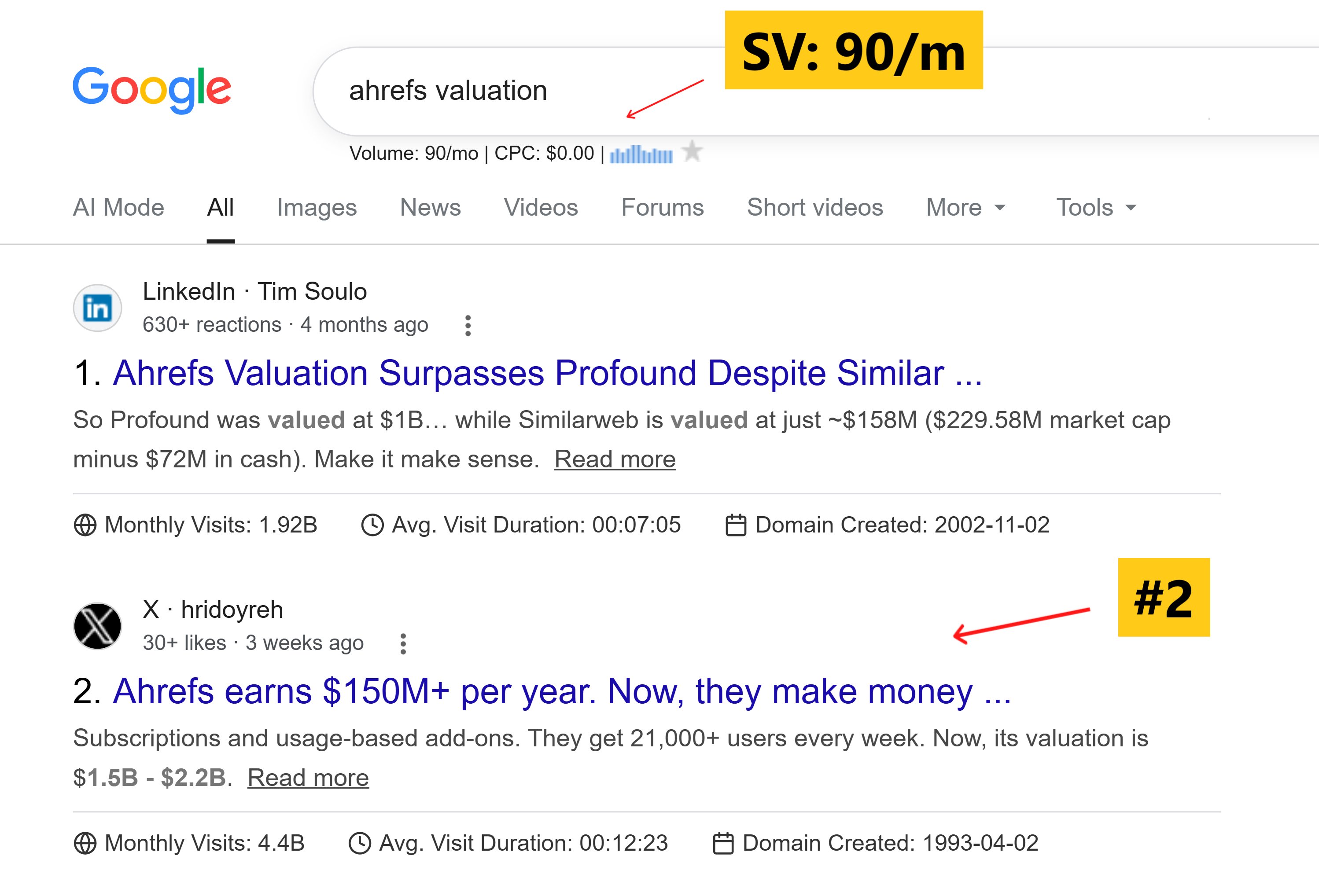
Your social media profiles show up in Google Search Console if you add them as properties. Once you do, GSC will start reporting which search queries are driving impressions and clicks to your social pages. That data is a direct signal of what your audience is already searching for.

This gives you a low-effort way to identify keyword opportunities before you write a single word.

How do you set this up?
Use Google Search Console to find keywords your social content already ranks for

  1. Go to Google Search Console and add your social profile URL as a new property (for example, your LinkedIn company page or X/Twitter profile).
  2. Verify ownership. For most social platforms, the HTML tag method works, but URL prefix verification is usually the easiest path.
  3. Wait 2-3 days minimum. GSC needs time to collect impression data before anything useful shows up.
  4. Go to Performance > Search results and filter by your social property. Look at the queries tab.

What do you do with those keywords?

Once you have a list of queries your social content is already appearing for, pick the ones with decent impressions but low click-through rates. These are terms Google thinks you're relevant for, but your social profile isn't the right destination.

That gap is your content opportunity.

Write a proper blog post or landing page targeting that keyword. Put the primary keyword in the first 100 words, include it in the title tag and H1, and build out a page that actually answers the search intent behind the query.

Then share the post on the same social channel where the keyword was appearing. This reinforces the topical signal Google has already associated with your brand.

Why does this work better than guessing?

Most keyword research starts cold — you're estimating what people might search for. This approach works from real data. Google has already shown you which queries it connects to your brand. You're following a path it's partially laid out.

According to Ahrefs, over 90% of pages get zero organic traffic from Google. The main reason is targeting keywords with no real fit between the content and the searcher's intent. Starting from GSC data cuts that mismatch significantly.

What should you watch out for?

  • GSC data for social profiles tends to be thin. You may only see 10-20 queries at first. That's fine — focus on the highest-impression ones.
  • Social profiles don't always rank for the same queries consistently. Treat this as directional data, not a guarantee.
  • This works best for branded or semi-branded queries. If your social profile is showing impressions for a specific niche topic, that's a strong signal to build content around it.

The whole process takes under an hour once your property is verified and the data has had a few days to populate.

X work chat send

Get the weekly SEO digest

Get 3 actionable SEO tips every week — free.

Join solo founders leveling up their SEO. Unsubscribe anytime.