PocketSEOPocketSEO

Best On-Page SEO Tips (2026)

8 tips · ~14 min read · 3,288 words · Updated 2026

On-page SEO is where content optimization meets search intent. Getting title tags, headings, internal links, and keyword placement right is the difference between page one and page five. These practitioner-tested tips cover the on-page elements that actually move rankings — from semantic HTML structure to NLP-optimized content strategies that align with how modern search engines process pages.

Beginner Medium Effort

What is the fastest free keyword research workflow for startups?

Paid keyword tools eat into tight budgets fast. But you can build a solid keyword list without spending anything, using two free tools most people overlook: Termsuggest and SearchVolume.io.

Here's the exact process:

  1. Go to Termsuggest.com and type the most generic keyword that describes your business (e.g., "accounting software" or "dog grooming").
  2. Copy the suggested keywords it returns. These are real search queries pulled from autocomplete data, so they reflect what people actually type.
  3. Paste the full list into SearchVolume.io, which pulls monthly search volume data directly from Google Keyword Planner — no account required.
  4. Filter for high-volume terms that are still relevant to what you actually offer. Ignore anything that's too broad or off-topic.
  5. Match each keyword to a landing page on your site and optimize that page around the term: title tag, H1, body copy, and meta description.

Why does starting with a generic seed keyword work better than guessing?
Find High-Volume Keywords for Free Using Termsuggest and SearchVolume.io

Autocomplete-based tools like Termsuggest surface queries based on real search behavior. When you type a broad term, you get the long-tail variations people are already searching for. This sidesteps the guesswork that kills most DIY keyword research.

According to Ahrefs, over 90% of all search queries get fewer than 10 monthly searches. The goal with this workflow is to skip the noise and surface the mid-volume, high-relevance terms where a small site can actually rank.

How do you decide which keywords are worth targeting?

High volume alone is not enough. Filter your list by asking:

  • Does this keyword match what my page actually offers?
  • Is the search intent transactional, informational, or navigational? Match it to the right page type.
  • Could my site realistically compete for this term given your current domain authority?

For most early-stage startups, targeting keywords with 500 to 5,000 monthly searches and clear commercial intent is more effective than chasing terms with 50,000+ searches dominated by established players.

What should you change on the landing page once you have the keyword?

Optimization does not mean stuffing a keyword in 20 places. Focus on:

  • Title tag: Put the primary keyword near the front, keep it under 62 characters.
  • H1: Should match or closely reflect the title tag.
  • First 100 words: Mention the keyword naturally in the opening paragraph.
  • Meta description: Write for click-through, include the keyword, stay under 155 characters.
  • URL: If you're creating a new page, include the keyword in the slug.

This workflow takes under an hour and costs nothing. For startups running lean, it's a practical way to build a keyword foundation before committing to a paid tool.

Want the full playbook? Read our guide on On-Page SEO That Actually Drives Results (Not Just Rankings).

Key Takeaway

Startups can do effective keyword research for free by combining Termsuggest and SearchVolume.io. Type a broad seed keyword into Termsuggest to get autocomplete-based suggestions, then paste them into SearchVolume.io to check monthly search volume without needing a paid account. Filter for high-volume, relevant terms and optimize your landing pages accordingly. This workflow takes under an hour and builds a solid keyword foundation before you invest in any paid SEO tool.

Source: @seonatia on Twitter/X

Full tip page
Beginner Quick Win

What does 'almost ranking' actually mean?

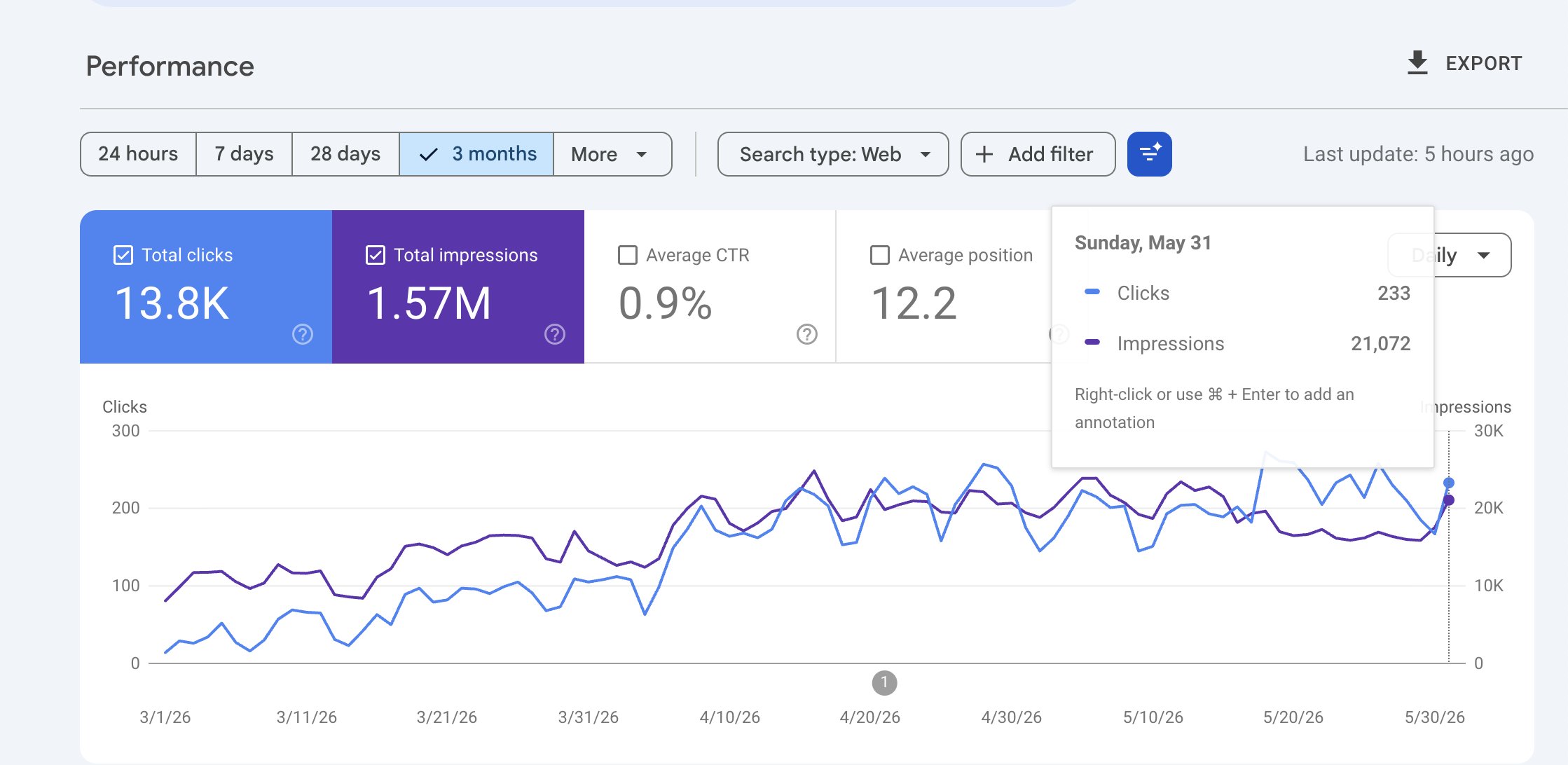
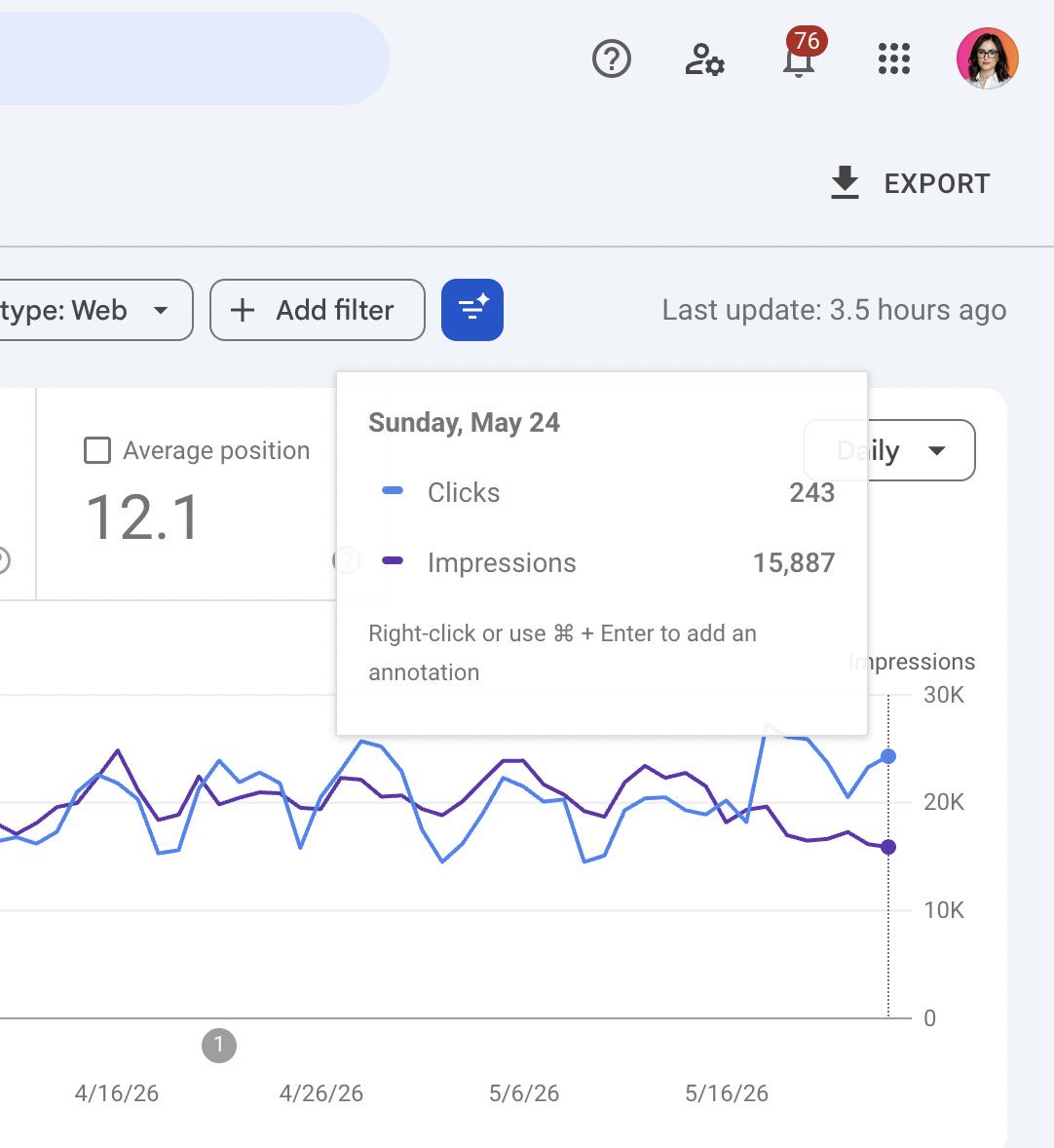
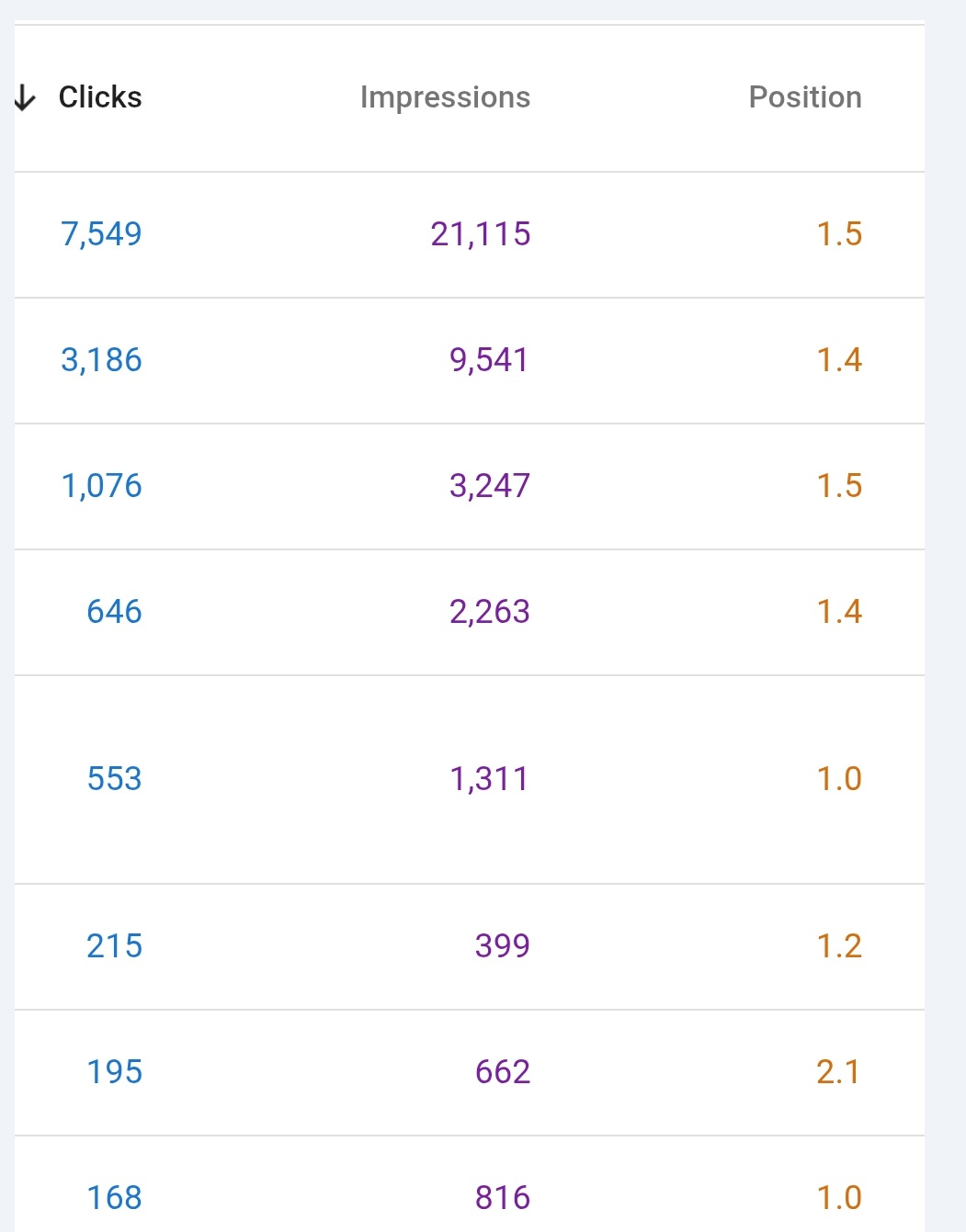
Google Search Console shows you every keyword your site has appeared for in search results, along with your average position. Positions 6 through 20 are the sweet spot — you're showing up, Google considers you relevant, but you're not getting meaningful clicks because you're buried on page one or sitting on page two.

According to a 2023 study by Backlinko, the top result on Google gets a 27.6% click-through rate, while position 6 pulls around 4% and position 11 drops to roughly 2%. The gap between ranking 8 and ranking 3 is enormous in real traffic terms.

Keywords stuck in positions 6-20 are the lowest-hanging opportunities on your site. You've already proven relevance to Google. A focused page targeting that keyword specifically can push you into the top five.

How do you find these keywords in Search Console?

Turn 'almost ranking' keywords into new traffic with Search Console

  1. Open Google Search Console and navigate to Search results under the Performance tab.
  2. Make sure both Clicks and Impressions are checked, then also enable Average position.
  3. Click Export (top right) and download the data as a CSV.
  4. Open the file in Google Sheets or Excel.
  5. Filter the Position column to show rows between 6 and 20.
  6. Sort by Impressions descending so the highest-volume opportunities rise to the top.

You now have a prioritized list of keywords where you're visible but not competitive.

What should you do with these keywords?

For each keyword on the list, check whether your site has a page that directly targets it — meaning the keyword appears in the title tag, the H1, and throughout the body copy.

In most cases, the keyword is ranking incidentally on a page about something broader. The fix is to either:

  • Create a dedicated page for that specific keyword if you don't have one. Write a post or landing page that answers the search intent directly. Make the keyword the clear subject of the page, not a side topic.
  • Strengthen the existing page if you already have one. Rewrite the title tag to include the exact keyword near the front, tighten the H1, add relevant supporting content, and build a few internal links from related pages using the keyword as anchor text.

Both approaches tell Google: this page is specifically about this query, not accidentally about it.

How many keywords should you tackle at once?

Start with five to ten. Pick the ones with the highest impression counts — those represent real search volume — and where your position is between 8 and 15. The closer you are to position one, the less work it typically takes to move.

One well-targeted page per keyword is more effective than trying to cover multiple 'almost ranking' terms on a single page. Consolidation works in some cases (when queries share identical intent), but if the keywords are distinct topics, give each one its own URL.

Recheck Search Console four to six weeks after publishing or updating. You should see position improvements, and more importantly, a click-through rate increase as you move above the fold.

Want the full playbook? Read our guide on On-Page SEO That Actually Drives Results (Not Just Rankings).

Key Takeaway

Google Search Console shows every keyword your site ranks for, including ones stuck in positions 6-20 where you get almost no clicks. Export your keyword data as a CSV, filter for positions 6 to 20, and sort by impressions. For each high-volume keyword without a dedicated page, create one that directly targets it. This works because Google already sees your site as relevant for these queries — a focused page converts that relevance into rankings and traffic.

Source: @seonatia on Twitter/X

Full tip page
Beginner Quick Win

Find your hidden SEO goldmine in Google Search Console

Most businesses chase new content when their biggest SEO wins are sitting in positions 4-20. Moving one keyword from position 8 to position 3 often generates more traffic than publishing 10 new articles.

Here's how to find and fix these opportunities:

Step 1: Identify your quick-win keywords

Boost organic traffic by optimizing pages ranking positions 4-20

  1. Open Google Search Console → Performance → Search Results
  2. Filter Position: 4-20
  3. Sort by Impressions (highest first)
  4. Skip keywords already in positions 1-3
  5. Ignore anything below position 20

Focus on pages ranking on page 1-2 with real search volume. These represent keywords Google already trusts you to rank for.

Step 2: Optimize the ranking page

For each target keyword, open the ranking page and make these improvements:

Content optimization:

  • Add a dedicated section answering the exact search query
  • Include the target keyword in a heading (only when it reads naturally)
  • Expand content depth around related questions users might have
  • Add supporting entities, examples, statistics, and FAQs

Technical improvements:

  • Strengthen internal links pointing to the page from related content
  • Update the title tag if click-through rate looks weak
  • Add relevant schema markup where appropriate
  • Re-submit the URL in Search Console to speed up re-crawling

Why this strategy works

You're not competing for brand new keywords. Instead, you're giving Google more confidence in rankings you've already earned.

Google has already decided your page deserves to rank somewhere on page 1-2. Your job is to prove it deserves a higher spot by better matching search intent and providing more comprehensive coverage.

Common mistakes to avoid

  • Don't keyword stuff headings unnaturally
  • Don't ignore user intent when adding new sections
  • Don't optimize pages with zero real search volume
  • Don't forget to improve internal linking as part of the process

This approach works because most businesses focus entirely on creating new content while neglecting pages that are already 90% of the way to ranking well.

Want the full playbook? Read our guide on On-Page SEO That Actually Drives Results (Not Just Rankings).

Key Takeaway

Filter Search Console for keywords in positions 4-20, then deepen those existing pages to match intent, promoting rankings Google already trusts you for.

Source: @ConnorShowler on Twitter/X

Full tip page
Beginner Medium Effort

Why do named entities matter for SEO rankings?

Named entities are words that have their own Wikipedia page — people, places, brands, concepts that Google recognizes as distinct things. Pages that strategically use named entities tend to rank higher because they signal topical authority to search engines.

Here's a proven 8-step framework to leverage named entities for better rankings:

How do you build named entities into your page title?

Use Named Entities to Boost Page Rankings: 8-Step Beginner Framework

Write page titles containing at least 2 named entities. Instead of "Marketing Tips," try "Content Marketing Strategies for Small Business Owners" (Content Marketing and Small Business are both Wikipedia entities).

How should you enhance your H1 tag with named entities?

Repeat your title in the H1, then add one more named entity. This reinforces topical relevance without appearing spammy.

How do you avoid keyword stuffing when using named entities?

Don't repeat your target keyword excessively in titles. Google's indexing systems penalize this heavily. Focus on natural language that includes your keyword once.

Where should you place keywords strategically with named entities?

Include your target keyword in these 5 locations:

  • URL slug
  • Title tag
  • H1 heading
  • At least one H2 heading
  • Meta description

Why keep AI content under 10% when using named entities?

If using AI writing tools, test your content with Originality.ai. Keep AI detection below 10%. Higher AI percentages correlate with lower indexing rates in Google's systems.

How do you structure H2s as questions for better entity recognition?

Write H2 headings as questions, then answer each question in the first sentence of that section. This matches how people search and improves featured snippet chances.

How do you research competitor entities effectively?

Use tools like SchemaWriter.ai to identify which named entities your top-ranking competitors use. Build FAQ sections around these entities or incorporate them naturally into your content.

How do you implement BlogPosting schema for named entities?

For blog content, add BlogPosting structured data. This schema type shows strong correlation with higher indexing rates compared to generic Article schema.

What are the best pro tips for named entity implementation?

Finding Real Named Entities: Don't rely on AI to identify named entities — it often suggests keywords that aren't actually Wikipedia entries. Manually verify each entity has its own Wikipedia page.

Schema Validation: If using AI to generate schema markup, cross-check with multiple AI tools. They frequently hallucinate invalid schema properties.

Automation: Convert this framework into a Claude prompt or checklist to streamline your process across multiple pages.

This approach requires more upfront work than basic SEO, but the ranking improvements from proper named entity usage make it worthwhile for competitive keywords.

Want the full playbook? Read our guide on On-Page SEO That Actually Drives Results (Not Just Rankings).

Key Takeaway

Named entities are specific people, places, brands, or concepts with their own Wikipedia pages that Google recognizes as distinct topics. Pages containing multiple named entities in strategic locations like titles, H1 tags, and H2 headings signal topical authority to search engines and typically achieve higher rankings. Start by including at least two named entities in your page title, then add one more in your H1 tag while keeping keyword usage natural and avoiding repetition. This framework works because search engines use named entities to understand content context and relevance, leading to better visibility for competitive keywords.

Source: @JespernissenSEO on Twitter/X

Full tip page
Beginner Quick Win

Which meta tags actually move the needle for SEO rankings?

Meta tags aren't dead, but they're not what they used to be. Google has shifted how it weighs these elements, making some essential while others collect digital dust.

Here's what actually matters for your rankings and click-through rates today.

Why are title tags considered your most important SEO real estate?

Your title tag is the clickable headline in search results.

According to Backlinko's analysis of 11.8 million Google search results, pages with exact-match keywords in their title tags have a slight ranking advantage over those without. Get this wrong, and everything else becomes irrelevant.

Best practices:

  • Keep it under 60 characters to avoid truncation
  • Place your primary keyword near the beginning
  • Write for humans first, search engines second
  • Include your brand name at the end if space allows

Example: "How to Fix Broken Links | Complete Guide | YourBrand" beats "Comprehensive Guide to Understanding and Implementing Broken Link Fixing Strategies"

How do meta descriptions function as your sales pitch to searchers?

Meta descriptions don't directly impact rankings, but they're your chance to convince searchers to click your result over nine others.

What works:

  • Write 140-155 characters (Google's current sweet spot)
  • Include your target keyword naturally
  • Add a clear benefit or hook
  • Use active voice and action words

A good meta description answers "What's in it for me?" in one compelling sentence.

Why should you skip meta keywords entirely in 2026?

Google officially stopped using meta keywords for ranking in 2009. Adding them now is just extra code that serves no purpose. Your competitors might even use them to see what keywords you're targeting.

Delete any existing meta keyword tags from your pages.

How do header tags create structure that counts for SEO?

While technically not meta tags, headers (H1, H2, H3) structure your content for both users and search engines.

Header hierarchy rules:

  • Use only one H1 per page (usually your main title)
  • H2s for major sections, H3s for subsections
  • Include keywords naturally in headers
  • Keep headers descriptive and scannable

Think of headers as your content's table of contents. They should make sense even when read alone.

What's the bottom line on meta tags that matter for SEO?

Focus your time on title tags and meta descriptions. These two elements directly influence whether people click your results and how well search engines understand your pages.

Skip meta keywords entirely, and use header tags to create clear content structure. This combination gives you the biggest SEO impact for your effort.

Want the full playbook? Read our guide on On-Page SEO That Actually Drives Results (Not Just Rankings).

Key Takeaway

Title tags and meta descriptions are the only meta tags worth your time in 2026. Your title tag acts as the clickable headline in search results, so keep it under 60 characters with your primary keyword near the beginning. Meta descriptions don't affect rankings but serve as your sales pitch to searchers, so write compelling 140-155 character descriptions that answer "what's in it for me?" Skip meta keywords entirely since Google stopped using them for rankings in 2009. Focus these two elements to improve both click-through rates and search visibility.

Source: Unknown on Reddit

Full tip page
Beginner Quick Win

What's the real deal about how heading tags affect SEO?

Heading tags won't magically shoot your pages to #1, but they're more important than most people think. Not for the reasons you'd expect.

Google doesn't give you bonus points for stuffing keywords into H1s.

But proper heading structure helps crawlers understand your content hierarchy — and that matters for how your page gets indexed and displayed.

How does Google actually use headings for search rankings?

H1, H2, H3 Tag SEO: What Actually Impacts Rankings

Heading tags create a content outline that crawlers follow. Think of them like a table of contents:

  • H1: Main topic of the page (usually one per page)
  • H2: Major sections supporting that topic
  • H3-H6: Subsections under each H2

When crawlers scan your page, they use this structure to understand which content belongs together and what your page is really about.

What common heading mistakes actually hurt your SEO performance?

Multiple H1s everywhere: Confuses the main topic signal. Stick to one H1 per page that clearly states what the page covers.

Skipping heading levels: Jumping from H1 straight to H3 breaks the logical flow. Always nest headings properly (H1 → H2 → H3).

Using headings for styling: Making text bigger with H3 instead of CSS breaks semantic meaning.

Keyword stuffing headings: "Best SEO Tools | Top SEO Software | SEO Tool Reviews" reads like spam to both users and crawlers.

What heading strategies actually work for better rankings?

  1. Write descriptive headings that accurately reflect the content below them
  2. Include your target keyword naturally in the H1, but don't force it elsewhere
  3. Keep logical hierarchy — each H2 should be a main point, H3s should support H2s
  4. Make headings scannable — users often skim by reading just the headings first

What's the bottom line on heading tag SEO impact?

Proper heading structure won't rescue bad content, but it helps good content get understood and ranked correctly. Focus on clarity over keyword density. Your headings should make sense if someone read only them and skipped everything else.

Think of headings as navigation aids, not ranking hacks. When crawlers can easily follow your content's logic, they're more likely to match it with relevant search queries.

Want the full playbook? Read our guide on SEO Basics for Small Business Owners in 2024.

Key Takeaway

Proper heading hierarchy helps Google crawlers understand your content structure, which directly impacts how your pages get indexed and matched with search queries. Use one H1 per page that clearly states your main topic, organize H2s as major sections, and nest H3s under relevant H2s without skipping levels. Include your target keyword naturally in the H1, but focus on descriptive headings that accurately reflect the content below them rather than stuffing keywords everywhere. Well-structured headings act like a table of contents that both crawlers and users can follow to understand your page's logic and main points.

Source: @nicklaunches on Twitter/X

Full tip page
Beginner Quick Win

What keyword placement formula still works for SEO rankings?

Despite all the talk about AI and semantic search, Google still relies heavily on keyword signals to understand what your page is about. Here's where to place your target keyword for maximum impact.

Where are the 9 critical locations to place your target keyword?

1. URL Structure

Include your keyword in the page URL. Keep it short and readable:

  • Good: /best-running-shoes
  • Avoid: /category/products/item123/best-running-shoes-for-beginners-guide

2. Title Tag

Place your keyword at the beginning of your <title> tag. This carries the most weight for rankings.

3. Meta Description

Include the keyword naturally in your meta description. While not a direct ranking factor, it helps with click-through rates when the keyword appears bold in search results.

4. H1 Heading

Your main heading should contain the target keyword. Only use one H1 per page.

5. H2 Subheadings

Work the keyword into at least one H2 heading, but don't force it into every subheading.

6. Opening Paragraph

Mention your keyword within the first 100 words of your content. This signals topical relevance early.

7. First Image Filename

Rename your lead image file to include the keyword: running-shoes-guide.jpg instead of IMG_1234.jpg.

8. First Image Alt Text

Write descriptive alt text that naturally includes your keyword: Best running shoes displayed on white background.

9. Embedded YouTube Video

If you embed a video, choose one with your keyword in the title. This adds another relevance signal.

Why does this old-school keyword approach still work today?

Google's algorithms have become more sophisticated, but they still fundamentally count words and look for keyword signals in these key locations. The machine learning models need these signals to understand content topics.

The difference now is that your content needs to genuinely help users. Keyword stuffing will hurt you, but strategic keyword placement in these 9 spots — combined with quality content — remains effective.

How do you implement these keyword placement strategies?

  • Use exact match keywords in URLs and title tags
  • Use variations and related terms in headings and body content
  • Never sacrifice readability for keyword placement
  • Focus on one primary keyword per page

This approach works for any content type: blog posts, product pages, or landing pages. The fundamentals haven't changed.

Want the full playbook? Read our guide on On-Page SEO That Actually Drives Results (Not Just Rankings).

Key Takeaway

Strategic keyword placement in nine specific locations helps Google understand your content topic and improves rankings when combined with quality writing. Place your target keyword in the URL, title tag beginning, H1 heading, opening paragraph, and first image filename for maximum impact. Also include it naturally in meta descriptions, H2 subheadings, image alt text, and embedded video titles. While Google's algorithms are sophisticated, they still rely on these keyword signals to categorize content. This foundational approach works across all content types when you avoid keyword stuffing and maintain natural readability.

Source: @JespernissenSEO on Twitter/X

Full tip page
Intermediate Quick Win

What are the quick wins that actually move SEO rankings?

A homepage jumped 9 positions overnight using these five targeted changes. Here's exactly what worked and how to replicate it on your site.

How does strategic keyword placement work as the foundation?

Place your target keyword in at least 4 of these 6 locations:

  • URL slug
  • Page title (H1)
  • Meta title
  • H2 subheading
  • Body text (naturally, not stuffed)
  • Meta description

Don't force it everywhere—pick the 4 spots where it fits most naturally. Your H1 and meta title are non-negotiable.

How do you add relevant entities to your content?

Entities are the people, places, and concepts Google associates with your topic. For a local bakery, relevant entities might include "artisan bread," "sourdough starter," or your neighborhood name.

Place these entities in:

  • Your H1 tag
  • Page title
  • Throughout your content naturally

Google uses entities to understand what your page is really about beyond just keywords.

How do you fill your entity gaps for better SEO?

Check the top 10 results for your target keyword. Look for entities (specific terms, concepts, related topics) they mention that you don't.

Quick method:

  • Open the top 3 competitor pages
  • Scan their H2s and first paragraphs
  • Note terms you're missing
  • Add relevant ones to your content

This helps Google see your page as comprehensive on the topic.

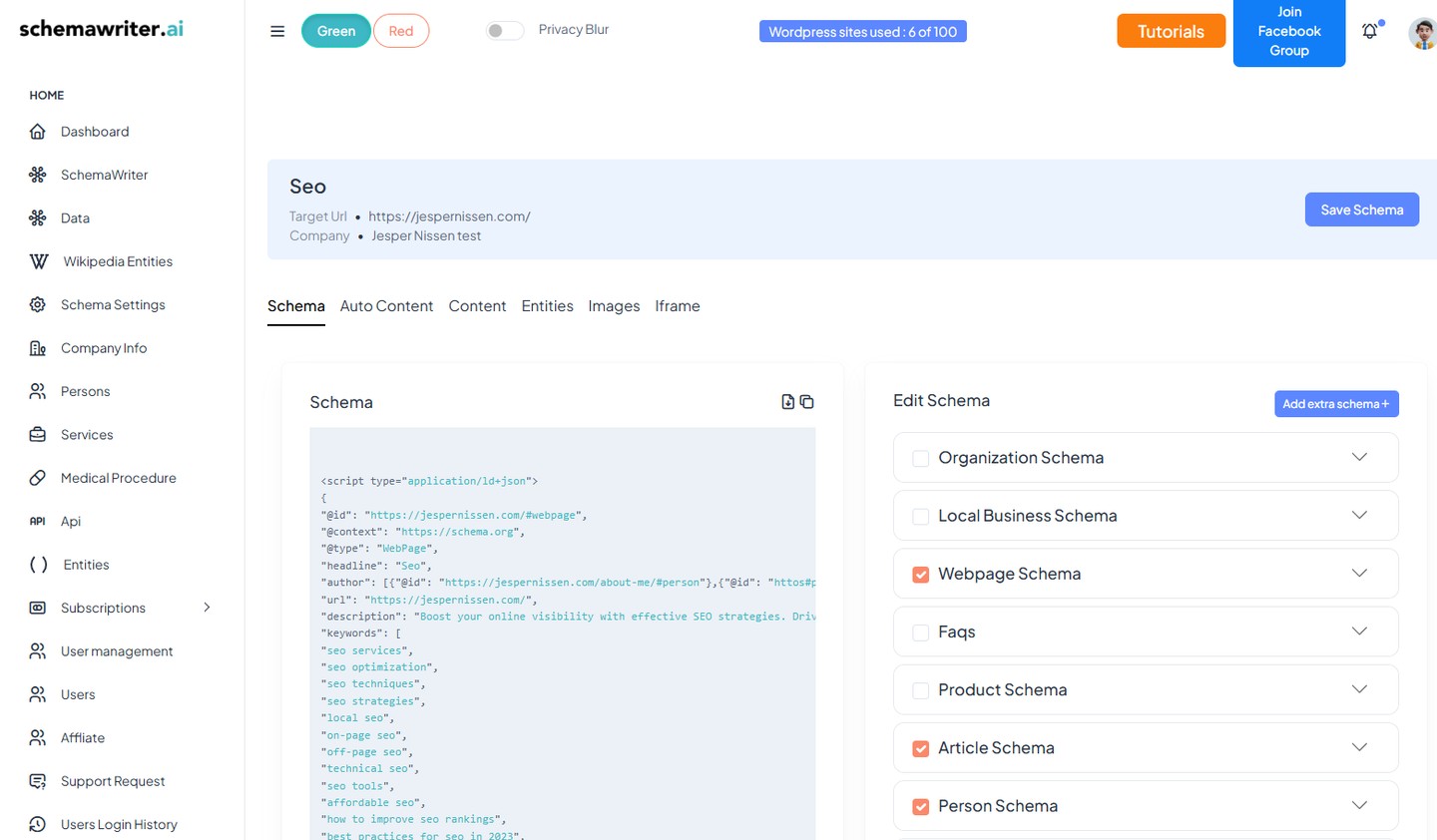
How do you add webpage schema markup?

Schema markup tells search engines exactly what your page contains. Add this to your page header:

{
 "@context": "https://schema.org",
 "@type": "WebPage",
 "name": "Your Page Title",
 "description": "Your meta description",
 "url": "https://yoursite.com/page"
}

Use Google's Schema Markup Helper to generate the code for your specific page type.

What is entity-optimized schema and how does it boost rankings?

Include your most important entities in your schema markup. If your page is about "organic dog treats," make sure terms like "natural ingredients," "grain-free," and "healthy dog food" appear in your schema description.

This creates consistency between what users see and what search engines understand about your page.

What order should you implement these SEO changes?

Start with keyword placement and entities (tips 1-3) since these require content changes. Add schema markup last since it's purely technical.

Test these changes on one important page first, then roll out to others based on results.

Want the full playbook? Read our guide on On-Page SEO That Actually Drives Results (Not Just Rankings).

Key Takeaway

Strategic keyword placement in four key locations combined with entity optimization can trigger immediate ranking improvements. Place your target keyword naturally in your H1, meta title, and two other spots like H2s or body text, then identify entities that top competitors mention but you don't. Adding these related terms and concepts to your content helps Google understand your page's true topic relevance. Include basic webpage schema markup to reinforce these signals technically, ensuring search engines can properly categorize your content and match it to user queries.

Source: @JespernissenSEO on Twitter/X

Full tip page

Putting these on-page seo tips into action

The 8 tips above represent the most validated on-page seo advice in the PocketSEO database — each one sourced from a practitioner who shared their finding publicly with their name attached. But reading tips is not the same as implementing them.

Start with the beginner-level quick wins — these are changes you can ship in under an hour that deliver measurable results within weeks. Once your foundation is solid, work through the intermediate and advanced tips systematically. Every tip links to its original source so you can verify the context and adapt the advice to your specific situation.

For more on-page seo resources, explore our guides, checklists, and the full tip directory below.

More On-Page SEO Resources

Best Tips by Category

Get the weekly SEO digest

Get 3 actionable SEO tips every week — free.

Join solo founders leveling up their SEO. Unsubscribe anytime.