 PocketSEO
Turn 'almost ranking' keywords into new traffic with Search Console

Natia Kurdadze - SEO @seonatia
Key Takeaway
Google Search Console shows every keyword your site ranks for, including ones stuck in positions 6-20 where you get almost no clicks. Export your keyword data as a CSV, filter for positions 6 to 20, and sort by impressions. For each high-volume keyword without a dedicated page, create one that directly targets it. This works because Google already sees your site as relevant for these queries — a focused page converts that relevance into rankings and traffic.
What does 'almost ranking' actually mean?
Google Search Console shows you every keyword your site has appeared for in search results, along with your average position. Positions 6 through 20 are the sweet spot — you're showing up, Google considers you relevant, but you're not getting meaningful clicks because you're buried on page one or sitting on page two.
According to a 2023 study by Backlinko, the top result on Google gets a 27.6% click-through rate, while position 6 pulls around 4% and position 11 drops to roughly 2%. The gap between ranking 8 and ranking 3 is enormous in real traffic terms.
Keywords stuck in positions 6-20 are the lowest-hanging opportunities on your site. You've already proven relevance to Google. A focused page targeting that keyword specifically can push you into the top five.
How do you find these keywords in Search Console?
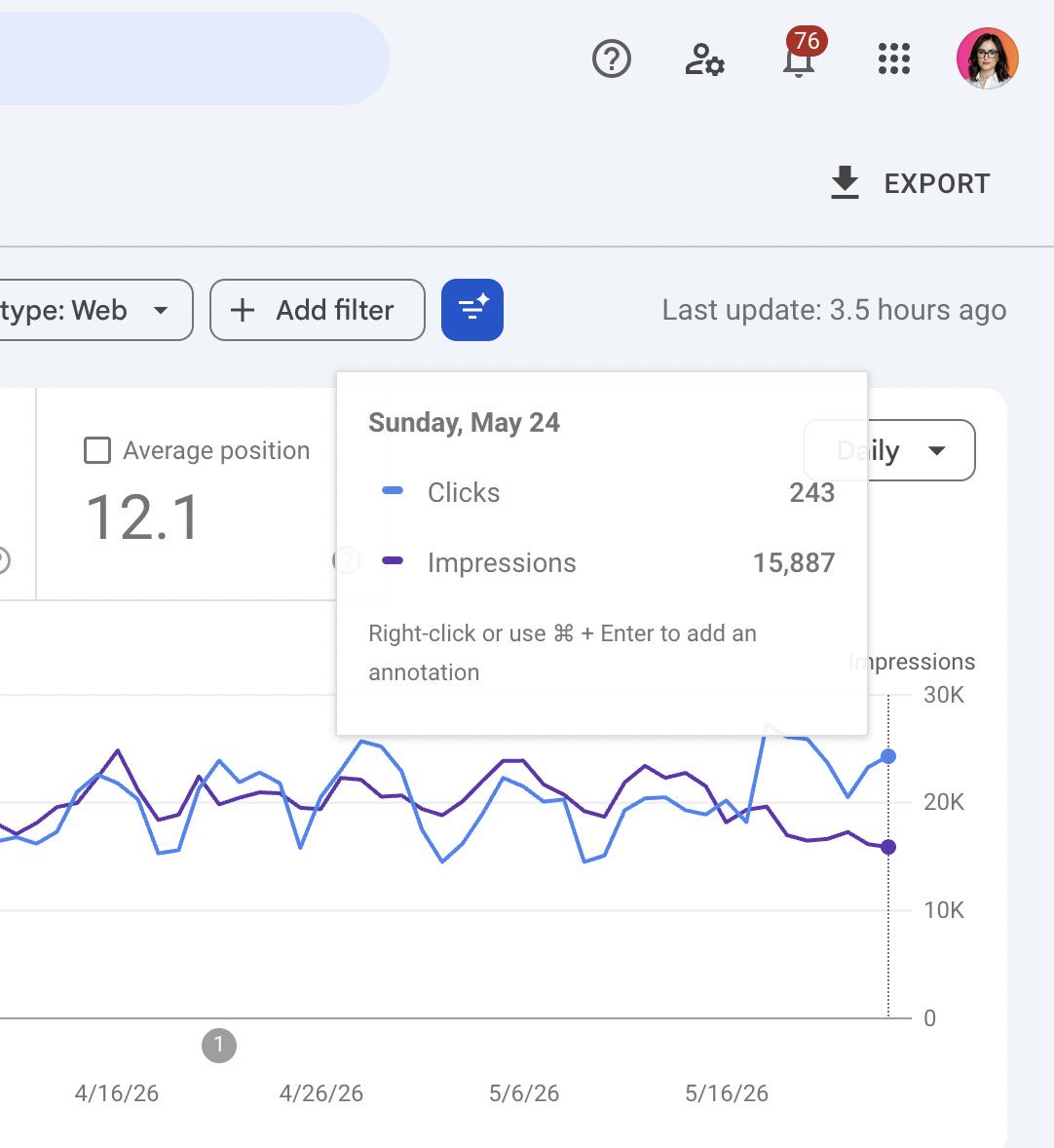
- Open Google Search Console and navigate to Search results under the Performance tab.
- Make sure both Clicks and Impressions are checked, then also enable Average position.
- Click Export (top right) and download the data as a CSV.
- Open the file in Google Sheets or Excel.
- Filter the Position column to show rows between 6 and 20.
- Sort by Impressions descending so the highest-volume opportunities rise to the top.
You now have a prioritized list of keywords where you're visible but not competitive.
What should you do with these keywords?
For each keyword on the list, check whether your site has a page that directly targets it — meaning the keyword appears in the title tag, the H1, and throughout the body copy.
In most cases, the keyword is ranking incidentally on a page about something broader. The fix is to either:
- Create a dedicated page for that specific keyword if you don't have one. Write a post or landing page that answers the search intent directly. Make the keyword the clear subject of the page, not a side topic.
- Strengthen the existing page if you already have one. Rewrite the title tag to include the exact keyword near the front, tighten the H1, add relevant supporting content, and build a few internal links from related pages using the keyword as anchor text.
Both approaches tell Google: this page is specifically about this query, not accidentally about it.
How many keywords should you tackle at once?
Start with five to ten. Pick the ones with the highest impression counts — those represent real search volume — and where your position is between 8 and 15. The closer you are to position one, the less work it typically takes to move.
One well-targeted page per keyword is more effective than trying to cover multiple 'almost ranking' terms on a single page. Consolidation works in some cases (when queries share identical intent), but if the keywords are distinct topics, give each one its own URL.
Recheck Search Console four to six weeks after publishing or updating. You should see position improvements, and more importantly, a click-through rate increase as you move above the fold.
 Get the weekly SEO digest