 PocketSEO
Why You're Losing Critical GSC Data (And How to Keep It Forever)

Daniel Foley Carter @foley_seo
Key Takeaway
Google Search Console only stores 16 months of data and limits exports to 1,000 rows due to massive storage costs. You're losing valuable impression data, long-tail keyword insights, and historical performance metrics daily. Use BigQuery integration (free) or paid tools like SEO Stack to backup GSC data indefinitely and unlock deeper SEO insights.
Why does Google limit your Search Console data access?
Google stores massive amounts of data for every website in Search Console. A typical site generates 5GB of text data with 16 different data dimensions tracked daily. For sites with thousands of pages and millions of queries, this creates millions of rows of data that Google must store and process.
Multiply this by billions of websites globally, and you understand why Google limits data access to 1,000 rows and keeps historical data for only 16 months.
According to Google, Search Console processes over 100 billion search queries daily across all websites, making data storage limitations necessary for system performance. The storage and processing costs would be astronomical otherwise.
What valuable data are you losing every day?
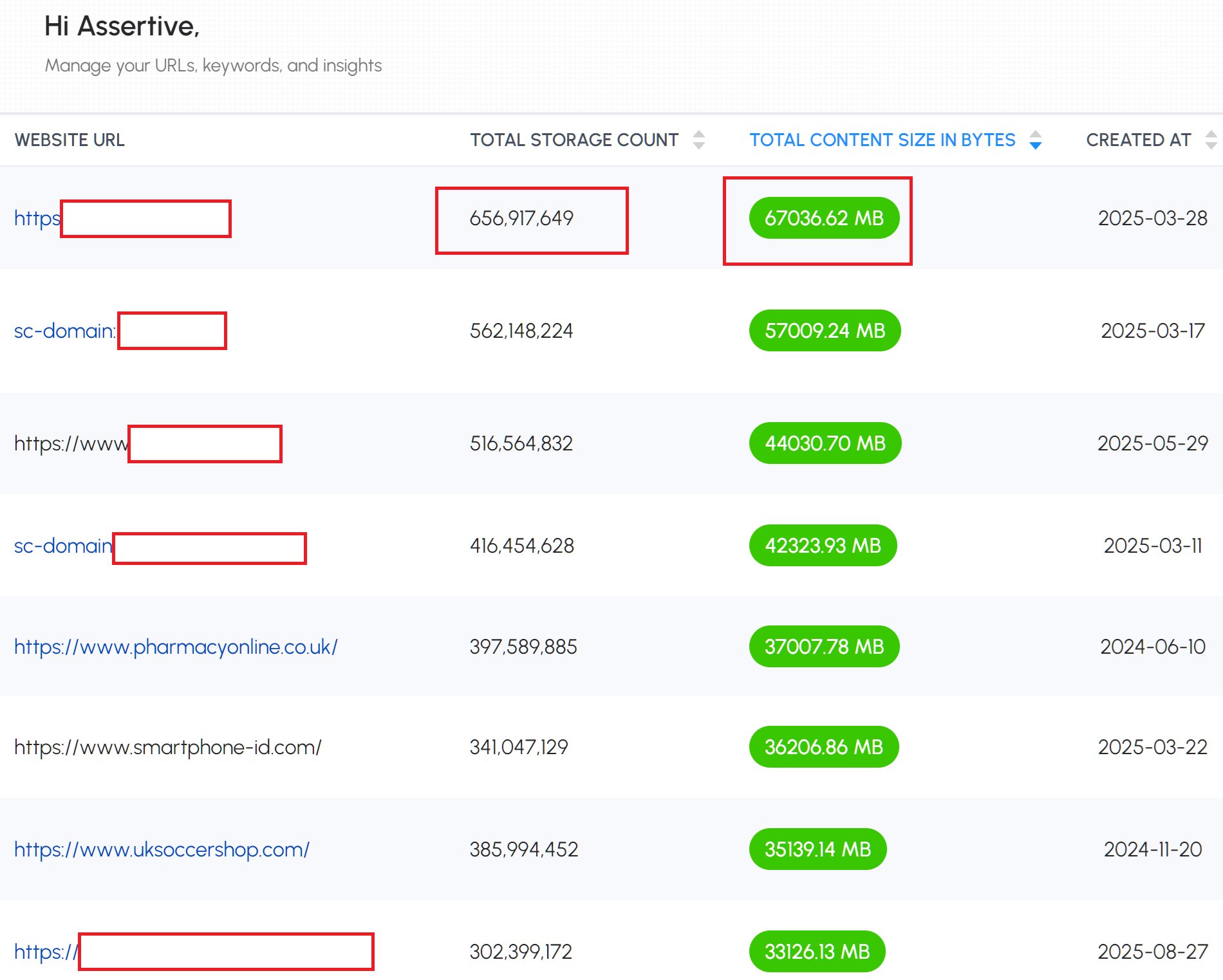
Every day that passes, you're losing Search Console data that could inform your SEO strategy:
- Impression data for long-tail queries you didn't know existed
- Click-through rates for specific pages over time
- Position tracking for keywords you're not actively monitoring
- Device and country performance breakdowns
- Search appearance data for rich results and featured snippets
This data is worth thousands annually to SEO agencies and consultants who use expensive AI visibility tools — yet most site owners let it disappear.
How can you backup GSC data for free?
Option 1: BigQuery Integration (Free)
- Open Google Search Console
- Go to Settings → Data Export → BigQuery
- Link your Google Cloud project (free tier available)
- Enable automatic daily exports
Your data will flow automatically into BigQuery where you can query it indefinitely using SQL.
Option 2: Paid Backup Tools ($10-50/month)
Tools like SEO Stack and SEO Gets automatically backup your GSC data and provide familiar interfaces:
- Keep data indefinitely
- Interactive dashboards similar to GSC
- Export capabilities for analysis
- Historical trend tracking
How does backed-up data improve your SEO strategy?
With complete historical data, you can:
- Identify seasonal trends in search demand
- Track long-term keyword performance beyond 16 months
- Spot content opportunities from impression data without clicks
- Monitor competitor keyword gaps by analyzing query variations
- Build predictive models for traffic forecasting
Start backing up your GSC data today. Every day you wait is another day of valuable SEO insights lost forever.
 Get the weekly SEO digest