 PocketSEO
Get a Free DR 90 Dofollow Backlink From Twitch

Roxana L. @RoxanaLimban
Key Takeaway
Creating a Twitch profile gives you an instant dofollow backlink from a DR 90 domain that Google trusts highly. Simply sign up for free, add your website URL to the profile's website field, and make the profile public for search engines to crawl. Unlike most social platforms that use nofollow links, Twitch allows full link equity to pass through to your site. Speed up the process by submitting your new profile URL to Google Search Console for faster indexing. This technique works because you're using Twitch's intended profile feature naturally, making it a legitimate high-authority link that takes just minutes to secure.
What is the Twitch profile backlink opportunity?
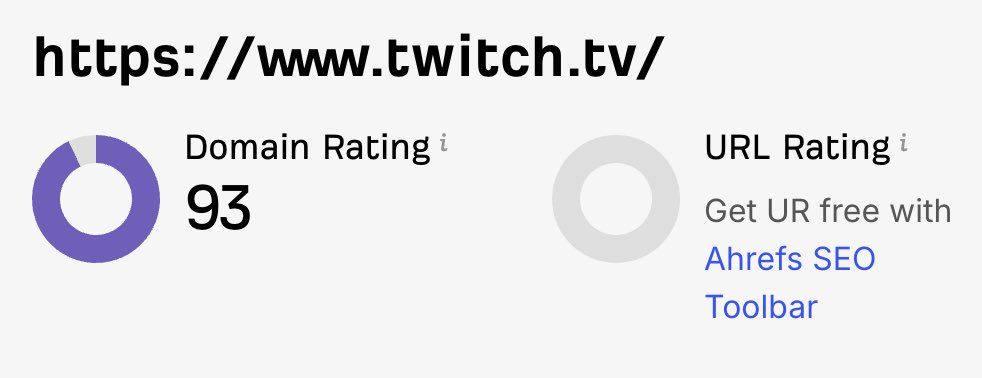
Twitch profiles offer one of the easiest high-authority backlinks you can get. With a Domain Rating of 90, Twitch carries serious weight in Google's eyes. The best part? You don't need to be a streamer to claim this link.
How do you set up your Twitch backlink?
- Create a Twitch account at twitch.tv (free signup)
- Complete your profile with basic information
- Add your website URL in the profile's website field
- Make your profile public so search engines can crawl it
How can you speed up indexing for your Twitch backlink?
Twitch profiles don't always get crawled immediately. Push your new profile URL through an indexing service to see results faster:
- Submit to Google Search Console
- Use IndexNow if your site supports it
- Share the profile URL on social media for additional crawl signals
Why does the Twitch backlink strategy actually work?
Twitch allows dofollow links in user profiles without requiring active streaming or follower counts. The platform's massive authority transfers link equity to your site, even from a basic profile.
What important considerations should you know about Twitch backlinks?
Don't spam multiple Twitch accounts for the same domain. Google can detect this pattern and may devalue the links. One legitimate profile per website is the safe approach.
This technique works because Twitch doesn't nofollow profile links, unlike many social platforms. The link appears natural since you're using the platform's intended profile feature.
What can you do beyond the basic Twitch setup?
While you don't need to stream, adding some activity makes your profile look more legitimate:
- Follow a few relevant streamers
- Add a profile picture and banner
- Write a brief bio mentioning your website's purpose
This single backlink won't transform your rankings overnight, but it's free authority that takes five minutes to claim.
 Get the weekly SEO digest