 PocketSEO
Core Web Vitals Field Data Updates Take 28 Days - Here's What to Track
Reviewed Jul 2026
Key Takeaway
Core Web Vitals field data runs on a 28-day rolling window, so use lab scores and real-user monitoring to confirm fixes before official metrics catch up.
Don't Panic When Your Core Web Vitals Don't Improve Immediately
You've spent hours optimizing your site's Largest Contentful Paint (LCP), fixing Cumulative Layout Shift (CLS) issues, and improving Interaction to Next Paint (INP). Your lab scores in PageSpeed Insights look great, but your field data hasn't budged.
This is normal. Google operates on a 28-day rolling window for Core Web Vitals field data.
Why the 28-Day Delay Exists
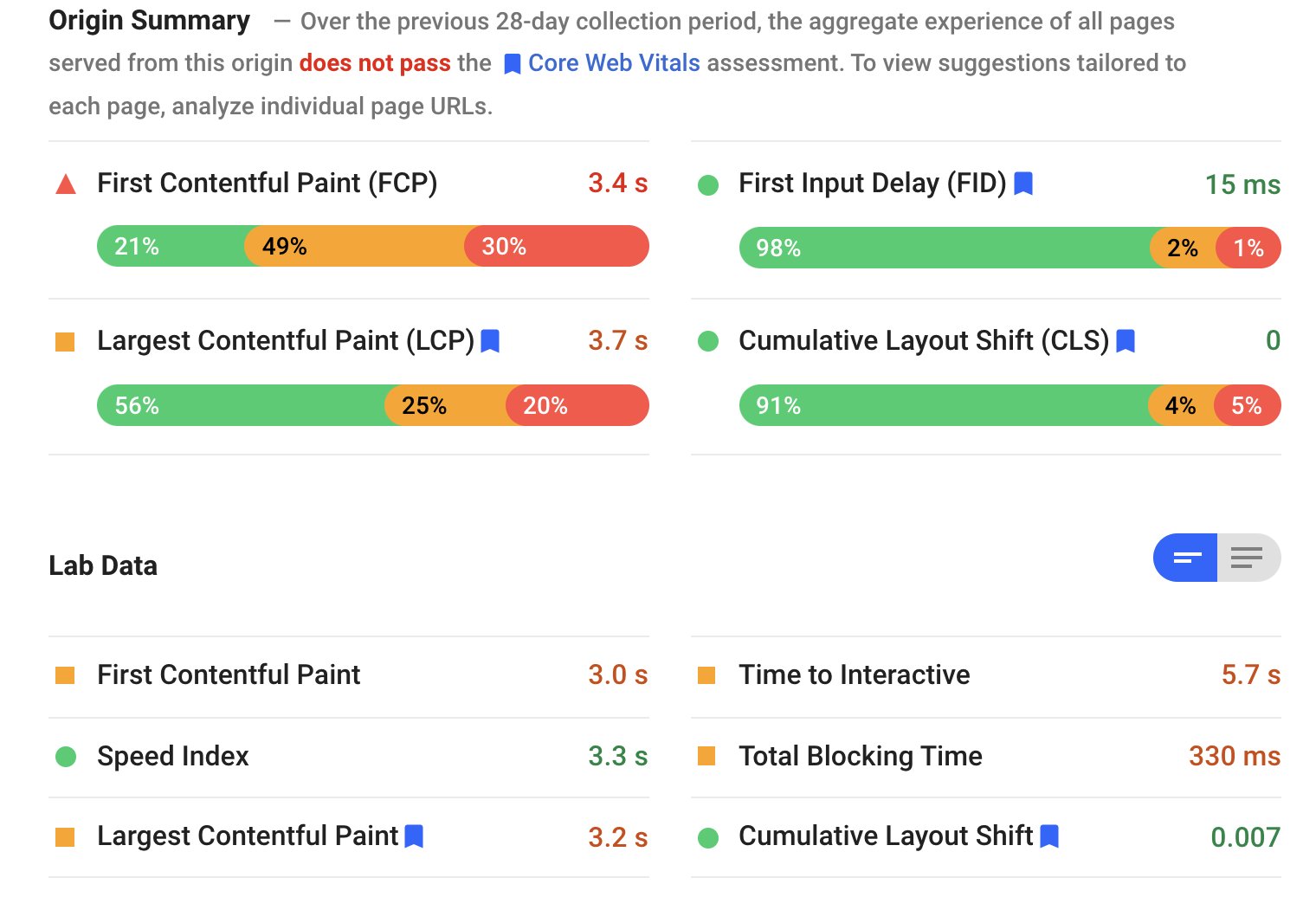
Field data comes from real users visiting your site through Chrome's User Experience Report (CrUX). Google needs enough real-world data to make statistical assessments about your site's performance.
The 28-day window ensures:
- Sufficient sample size from actual users
- Reduced impact of temporary spikes or dips
- More reliable performance measurements
What to Monitor During the Waiting Period
Track Lab Data First
Use PageSpeed Insights and Lighthouse to verify your fixes work in controlled conditions. If lab scores improve but field data doesn't after 28 days, you might have implementation issues.
Monitor Real User Monitoring (RUM)
Set up your own performance tracking with tools like:
- Web Vitals JavaScript library
- Google Analytics 4 Core Web Vitals reporting
- Third-party RUM tools
This gives you faster feedback than waiting for CrUX updates.
Use Search Console's Validation Feature
Google Search Console lets you validate Core Web Vitals fixes. Click "Validate Fix" after making improvements. Google will still take about 28 days to confirm, but you'll get official notification when the fix is recognized.
Setting Realistic Expectations
Tell clients and stakeholders about the 28-day cycle upfront. Nothing kills confidence in SEO work like "broken" fixes that actually need time to register.
Document your improvements with screenshots of lab scores and your own performance monitoring. This shows progress even when official metrics haven't updated yet.
Remember: if your lab scores improved significantly but field data stays poor after 30+ days, investigate whether your fixes apply to all user scenarios and devices.
Want the full playbook? Read our guide on Technical SEO Audits: Which Fixes to Prioritize First.