 PocketSEO
Get Free Backlinks by Publishing Infographics to Image Hosting Sites

SEO Wins @seo_wins
Reviewed Jul 2026
Key Takeaway
Publishing infographics to image hosting platforms like Flickr and Imgur can earn passive backlinks. Upload your image, add your website URL to the description, and set a Creative Commons Attribution license. When other publishers use the image, they credit your site with a link. It's a low-effort, one-time setup that works best with niche-specific visuals tied to existing content. Results are modest but real, especially for sites building their first backlinks.
Does uploading infographics to image sites actually earn backlinks?
For some content types, yes. The idea is straightforward: create an infographic related to your niche, upload it to public image hosting platforms like Flickr or Imgur, and include your website URL in the description. When other publishers find and use your image, they often credit the source — which means a backlink.
This is a passive link-earning tactic, not an outreach campaign. You do the work once and let the image circulate.
How do you set this up?
- Create an infographic around a topic your target audience searches for. It doesn't need to be complex — a simple visual summary of a process, stat, or comparison works well. Free tools like Canva handle this fine.
- Upload to Flickr and Imgur. Both platforms are indexed by Google and have large, active user bases. Flickr in particular is used by bloggers and journalists sourcing visuals.
- Write a clear description. Include your website URL and a note that the image is free to use with attribution. Something like: "Created by [YourSite.com] — free to use with credit."
- Set the license correctly on Flickr. Use a Creative Commons license (Attribution, CC BY) so it's clear people can republish it as long as they link back to you.
- Repeat with multiple infographics. The more images you have in circulation, the more chances for organic pickup.
What kind of results should you expect?
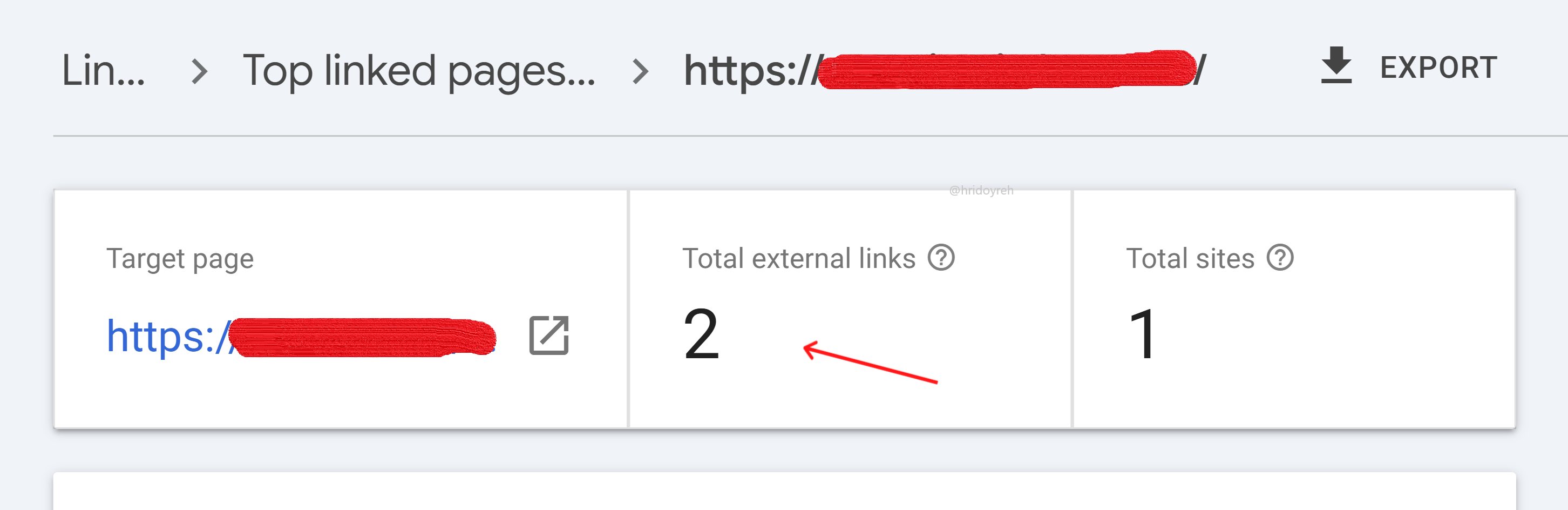
This won't replace a proper link-building program. Two backlinks from a single infographic isn't going to move the needle dramatically for a competitive keyword. But for a solo founder or small site building authority from scratch, every legitimate link counts.
According to an Ahrefs study, 66% of pages have zero backlinks pointing to them — so even a handful of earned links puts you ahead of most pages in your niche.
The links you get from this method vary in quality. Flickr and Imgur pages themselves may not pass much link equity, but when a blogger embeds your infographic and links to your site directly, that's a genuine editorial backlink.
What makes an infographic worth sharing?
- Specific data. A visual showing "5 pricing models for SaaS products" is more shareable than a generic flowchart.
- Clean design. Cluttered visuals don't get used. Simple layouts with readable fonts get picked up more.
- A clear topic niche. Infographics that match a specific search query tend to get found and reused by people writing about that topic.
This tactic works best when paired with content you've already published. Turn a blog post into an infographic, publish both, and the image becomes a standalone asset that points back to the original article.
Want the full playbook? Read our guide on Image Backlinks: The Underrated Link-Building Play for 2026.