 PocketSEO
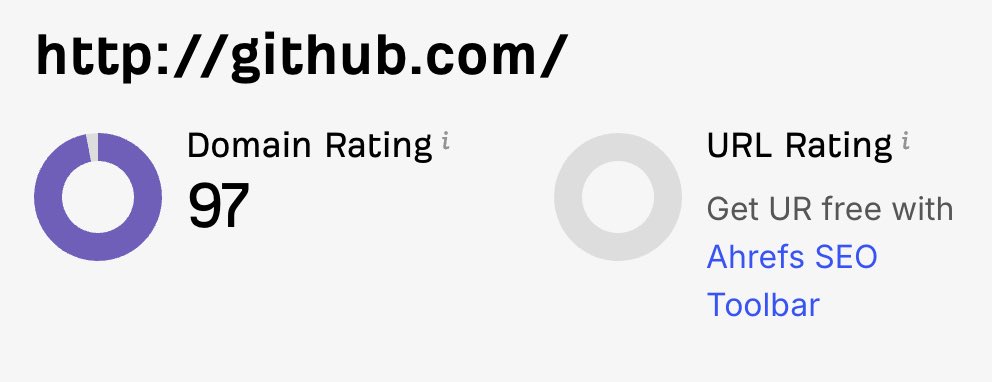
Use GitHub Profile for Free DR 90+ Authority Signal
Reviewed Jul 2026
Key Takeaway
GitHub's 90+ Domain Rating makes it perfect for building entity validation signals with Google. Create a public repository, add your website URL in the "Website" field, and complete your profile with real business information. While GitHub links are nofollow, Google uses these high-authority platform connections to verify your business legitimacy and cross-reference your entity across the web. This free setup takes five minutes and helps establish credibility for newer websites that need trust signals with search engines.
How can you turn your GitHub profile into an SEO trust signal?
GitHub has a Domain Rating of 90+ and massive authority with Google.
Most people think it's just for developers, but you can use it as a powerful trust signal for any business.
What's the simple setup process for this strategy?
Here's how to claim this free authority boost:
- Find or create a public repository you own on GitHub
- Add your website URL in the "Website" field of the repository
- Complete your GitHub profile with your real name and photo
That's it. Takes 5 minutes.
Why does this GitHub authority signal actually work?
Google doesn't just count backlinks anymore. They look for entity validation signals across the web. When they see your website consistently linked from high-authority platforms like GitHub, it helps establish legitimacy.
Even though GitHub links are nofollow (they don't pass direct link juice), Google still uses these connections to:
- Verify your business exists
- Cross-reference your entity across platforms
- Build confidence in your domain's authenticity
How do you maximize the SEO signal from your GitHub profile?
Don't just add your link and forget it. Make your GitHub presence look real:
- Use your actual business name as the repository name
- Write a proper README explaining what your business does
- Keep the repository active with occasional updates
- Link to your main website from multiple relevant repositories if you have them
What other high-authority platforms should you consider for backlinks?
Once you've set up GitHub, apply the same strategy to:
- LinkedIn company pages
- Behance profiles
- Medium author profiles
- Any platform where you can legitimately add your website
The key is consistency. Google trusts signals that appear across multiple authoritative sources, not just isolated mentions.
What's the reality check on this GitHub SEO strategy?
This won't single-handedly rocket your rankings, but it's free validation that takes minutes to set up. Every trust signal helps, especially for newer websites that need to establish credibility with search engines.
Set it up now while you're thinking about it.
Want the full playbook? Read our guide on Parasite SEO on Web 2.0 Platforms: A 2026 Tactical Guide.